🏒AI-Powered Building Evacuation Map Generator

Generate Complete Building Evacuation Maps From Your Sketch

Upload sketches for any building - office, warehouse, school, or factory - and generate complete, professional evacuation maps. Multi-floor support, industry-specific compliance.

∞Building Sizes
15+Industries
100%Compliant

Multi-floor support. Industry-specific compliance.

From Napkin Sketch to Professional Evacuation Map

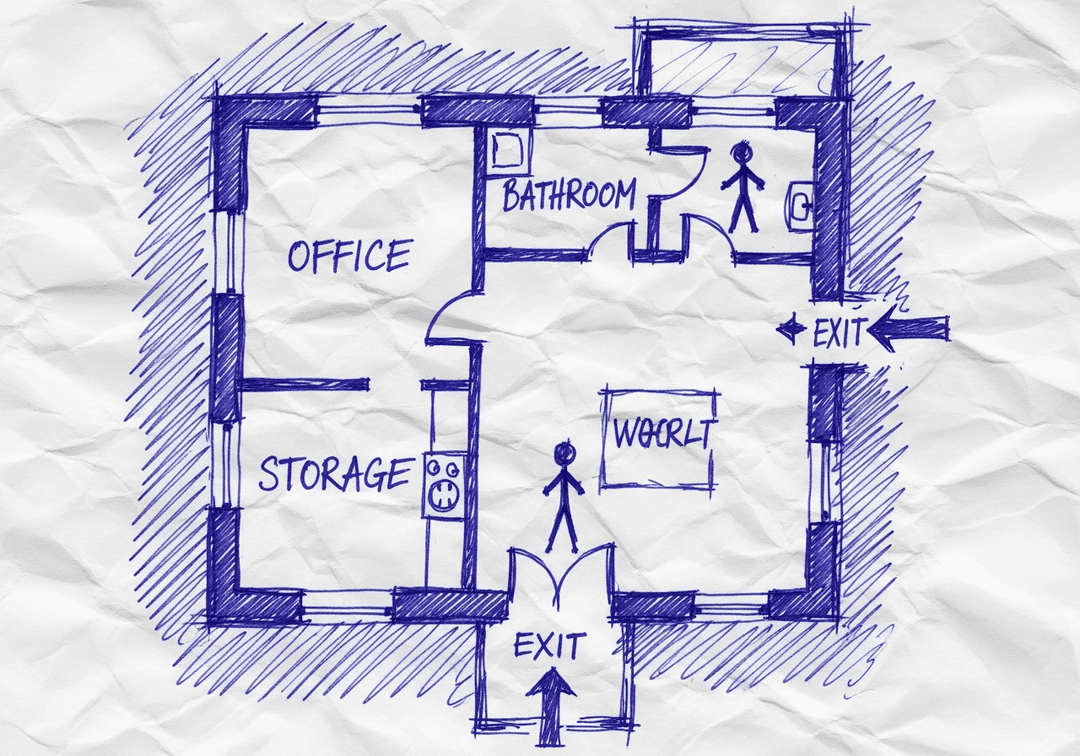
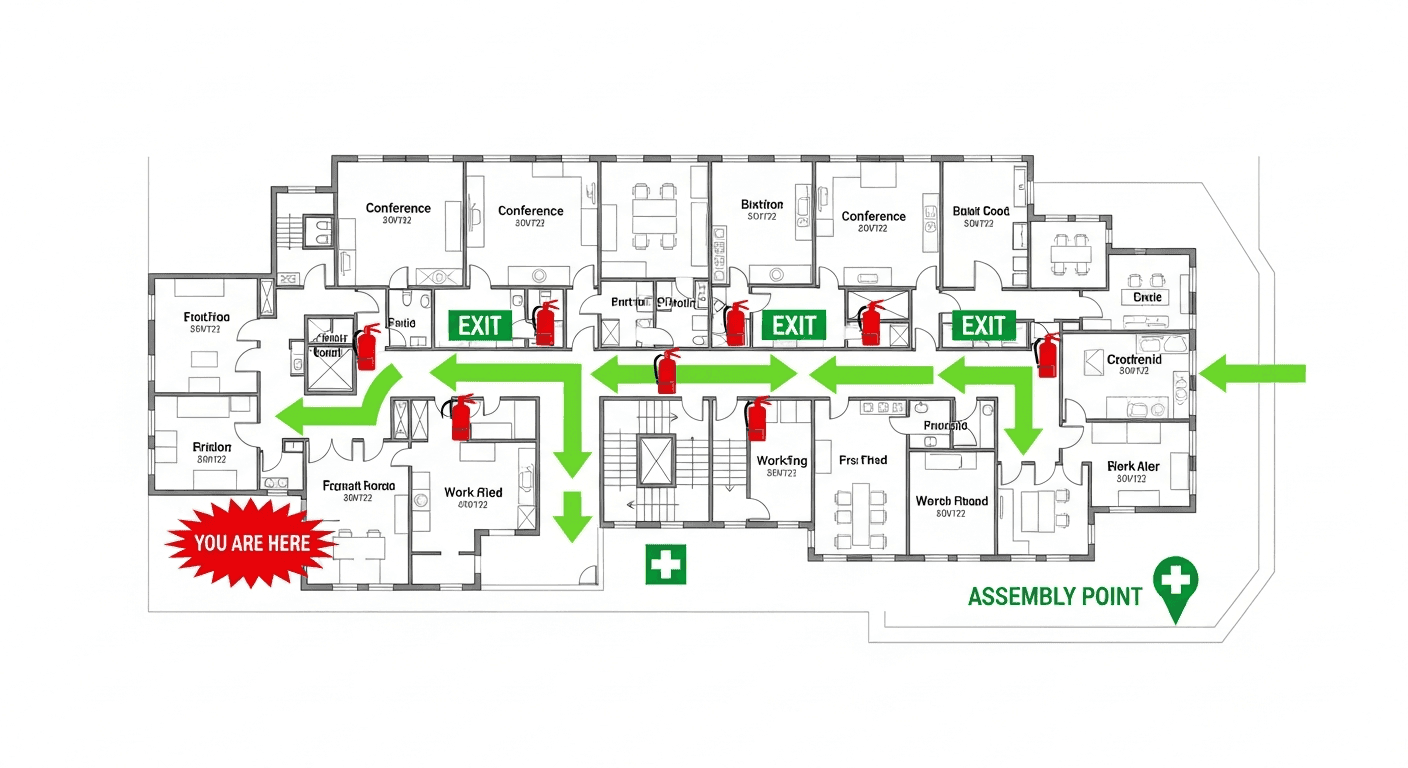
Transform your hand-drawn floor plans into OSHA-compliant safety maps in seconds

Works with photos, scans, PDFs, CAD files, or even hand-drawn napkin sketches

  • 100% OSHA Compliant
  • Instant Results (~30 sec)
  • Print-Ready (11x8.5" or 17x11")

Transform Any Sketch Into a Professional Map

Do I need design skills to create an evacuation map?

No design skills are required. Our AI understands hand-drawn floor plans, smartphone photos, scanned blueprints, and PDF documents. Simply upload any representation of your facility layout and receive a professional-grade emergency evacuation map instantly.

Are the generated maps OSHA compliant?

Yes, every generated map meets OSHA 29 CFR 1910.38 Emergency Action Plan requirements including clearly marked exit routes, fire extinguisher locations within 75-foot travel distance, assembly points, YOU ARE HERE markers, and accessibility accommodations per ADA guidelines.

Can I update my evacuation map after renovations?

Yes, unlimited revisions are included. If you renovate your office or add a new emergency exit, simply re-upload your updated floor plan and generate a new compliant map instantly. All free maps include unlimited regeneration so you always have current evacuation documentation.

What types of buildings can use this evacuation map generator?

Our generator works for any building type including warehouses, manufacturing plants, healthcare facilities, schools, retail stores, and office buildings. The AI adapts to any facility size and layout, generating appropriate exit routes, fire safety equipment placement, and assembly point locations.

βœ“
OSHA Compliant29 CFR 1910.38
βœ“
NFPA CompliantLife Safety Code 101
βœ“
ADA ReadyAccessible Egress

Why Choose Our Building Map Generator?

Purpose-built for complex multi-floor buildings

01

Handles buildings of any size and complexity

02

Multi-floor coordination with stairwell connections

03

Industry-specific compliance customization

04

Occupancy-based exit capacity calculations

05

Area of refuge designation for accessibility

How It Works

From sketch to professional building evacuation map in 4 steps

1

Sketch Your Building Layout

Draw your building's floor plan on paper, showing walls, doors, rooms, and stairwells. Multiple floors? Sketch each one separately.

2

Upload Your Sketch

Take a photo or scan your hand-drawn sketch and upload it. Our AI accepts rough drawings, napkin sketches, or detailed plans.

3

Select Building Type & Industry

Choose your building type and industry for compliance customization. The AI applies OSHA and NFPA requirements specific to your facility.

4

Download Multi-Floor Maps

Get coordinated evacuation maps for all floors with consistent styling, stairwell connections, and assembly point designation.

Works With Any Building Type

Generate evacuation maps for offices, factories, schools, and more

🏒

Office Buildings

Corporate offices, call centers, co-working spaces

🏭

Industrial Facilities

Manufacturing plants, warehouses, distribution centers

🏫

Educational Institutions

Schools, universities, training centers

πŸ₯

Healthcare Facilities

Hospitals, clinics, medical offices

🏨

Hospitality

Hotels, restaurants, event venues

πŸ›’

Retail Spaces

Stores, shopping centers, malls

Generate Your Building Evacuation Map

Upload your sketch and get a professional, multi-floor ready evacuation map

πŸ“Š 5 of 5 Free Maps Left

Create Your Building Evacuation Evacuation Map

πŸ“·
Clear ImageUse a clean, high-quality scan or photo
↔️
Correct OrientationImage should be right-side up, not rotated or sideways
πŸ”
No ZoomCapture the entire floor plan, avoid zooming in on sections
πŸ’‘
Good LightingThe clearer and less blurry, the better results
πŸ“

Drag & drop your floor plan here

or

PNG, JPG, PDF - Hand-drawn sketches work too!

πŸ”’Your files are private: never shared, stored temporarily, deleted automatically.

Compliance Options

Generate bilingual map with English + Spanish labels

ℹ️Adds Spanish translations (EspaΓ±ol) to all text on the map
πŸ”₯ NEW✨

Customize Your Map

Add special requests for your safety map - tell our AI exactly what you need!

  • 🎯Add specific details like "Mark fire extinguisher near kitchen"
  • πŸ“Request specific zones: "Highlight assembly point in parking lot"
  • πŸ₯Add safety equipment: "Include AED location near reception"
0/2000

Quick Add:

Industry-Specific Compliance

Tailored safety requirements for your facility type

Manufacturing

  • βœ“ Hazard zone marking
  • βœ“ Chemical storage areas
  • βœ“ Machine shutdown procedures
  • βœ“ PPE staging locations

Healthcare

  • βœ“ Patient evacuation routes
  • βœ“ Medical gas shutoffs
  • βœ“ Horizontal evacuation areas
  • βœ“ Staff staging points

Education

  • βœ“ Classroom rally points
  • βœ“ Lockdown procedures
  • βœ“ Parent reunification areas
  • βœ“ Special needs routes

Retail

  • βœ“ Customer flow management
  • βœ“ Cash handling procedures
  • βœ“ Loading dock access
  • βœ“ Staff assembly areas

Multi-Floor Building Support

Coordinated evacuation maps that work together

Stairwell Coordination

Our AI identifies stairwells across floors and ensures consistent labeling and routing. Evacuation routes flow logically from upper floors to ground-level exits.

Consistent Styling

All floor maps share the same visual language - colors, symbols, and layout conventions - making it easy for occupants to understand maps on any floor.

Area of Refuge Designation

For buildings with accessibility requirements, maps clearly mark areas of refuge where mobility-impaired occupants can safely await rescue assistance.

Roof Access
Floor 4 ↓ Stair A/B
Floor 3 ↓ Stair A/B
Floor 2 ↓ Stair A/B
Floor 1 - Ground EXIT
🚩 Assembly Point

Frequently Asked Questions

Everything you need to know about building evacuation maps

Can I generate evacuation maps for any type of building?

Yes. Our generator works with all building types: offices, warehouses, factories, schools, hospitals, retail stores, restaurants, hotels, apartments, and more. Select your building type during generation for industry-specific compliance elements and optimal safety configurations.

How does the AI handle multi-floor buildings?

Upload sketches for each floor, and the AI creates coordinated evacuation maps with consistent styling. It identifies stairwells and elevators, shows vertical connections between floors, and ensures evacuation routes flow logically from upper floors to ground-level exits.

What building information do I need to provide?

Basic information helps optimize your map: building type/use, approximate square footage, number of occupants, and any special hazards or areas. However, even with just your sketch, the AI generates a complete, compliant evacuation map with all required elements.

Does the generator calculate if I have enough exits?

Yes. Based on your floor size and occupancy type, the AI checks if your exits provide adequate egress capacity. If potential issues are detected, you'll receive recommendations. This helps identify compliance concerns before they become problems during inspections.

Can I generate maps for buildings under construction?

Absolutely. Use preliminary architectural sketches to generate evacuation maps during design phases. This helps verify egress compliance before construction and supports emergency planning for construction workers. Update maps as the building progresses to completion.

What about areas of refuge for accessibility?

Our generator includes area of refuge designation for buildings requiring accessible emergency egress. These are clearly marked on the map with proper symbology, helping ensure compliance with ADA requirements and providing safe waiting areas for mobility-impaired occupants.

Ready to Generate Your Building Evacuation Map?

Upload your sketch and get a professional, multi-floor coordinated evacuation map in minutes. Get 5 free maps.