Q: Is the emergency floor plan creator really free?

Quick Answer:

Yes. You can create your first emergency floor plan completely free with no credit card required. The free plan includes AI-powered map generation from any floor plan upload, the full drag-and-drop editor, and export in PDF, PNG, or SVG format.

📄 Templates & ToolsEssential Guide

Free Emergency Floor Plan Creator

Transform any floor plan, hand-drawn sketch, or building photo into a professional emergency floor plan with marked exits, evacuation routes, and safety equipment locations.

0Generation Time
0No Credit Card
0OSHA-Focused Draft
See Examples

Upload your floor plan and generate a compliant map instantly

🛡️OSHA-Aligned
7,500+ Maps Created
100% Satisfaction
🔍
You searched:"Where can I create an emergency floor plan for free?"

📄What Is an Emergency Floor Plan?

An emergency floor plan is a diagram of your building that shows evacuation routes, emergency exits, fire safety equipment, and assembly points. It is required by OSHA under 29 CFR 1910.38 as part of your Emergency Action Plan and by most state fire codes. Our free AI-powered creator transforms any input — architectural floor plans, CAD exports, hand-drawn sketches, or even photos of existing maps — into professional, print-ready emergency floor plans that meet all OSHA and NFPA compliance standards.

📅How the Emergency Floor Plan Creator Works

1

Upload Your Floor Plan

Upload any floor plan image — architectural drawings, CAD exports, hand sketches, PDFs, or photos. Our AI understands all formats.

2

AI Analyzes Your Layout

Our Gemini-powered AI identifies walls, doors, rooms, corridors, and structural elements from your upload.

3

Emergency Elements Added

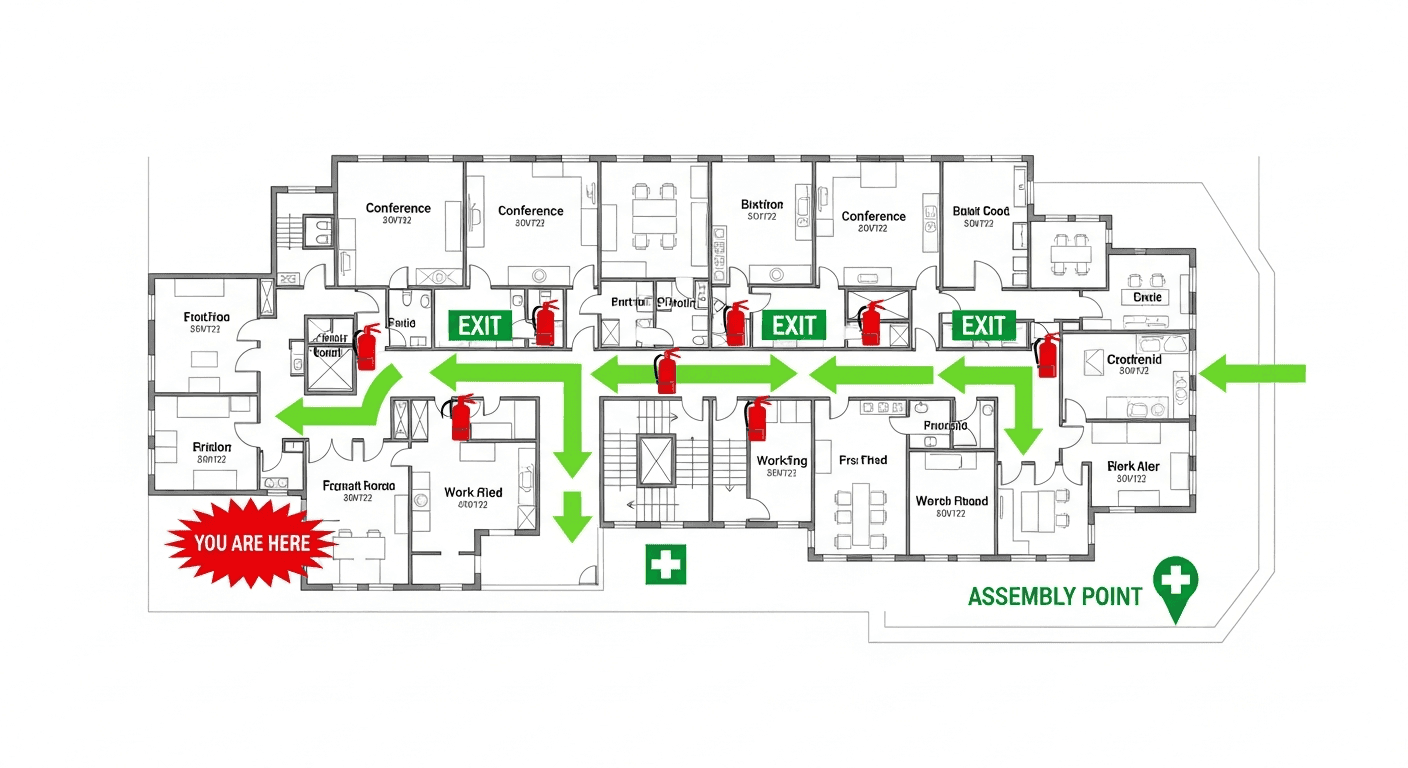
The AI places exit signs, evacuation route arrows, fire extinguisher markers, "You Are Here" indicators, and assembly points.

4

Review & Customize

Use the built-in editor to adjust sign placement, add or remove elements, and customize for your specific facility.

5

Export & Print

Download your emergency floor plan as PDF, PNG, or SVG in A4 or Letter size for immediate posting.

What Your Emergency Floor Plan Includes

  • All emergency exits clearly marked with EXIT symbols
  • Primary evacuation routes with green directional arrows
  • Secondary/alternate evacuation routes
  • Fire extinguisher locations with type symbols
  • Fire alarm pull station locations
  • First aid kit and AED locations
  • "You Are Here" orientation marker
  • Assembly point designation
  • Stairwell locations with floor numbers
  • Room labels and area identification
  • Color-coded legend explaining all symbols
  • Building name, floor number, and creation date
🗺️
Need an OSHA-aligned evacuation map?Create a professional evacuation map in under 2 minutes
Create Your Free Map

📋Supported Input Formats

  • 📋Architectural floor plans (JPG, PNG, PDF)
  • 📋CAD exports (converted to image)
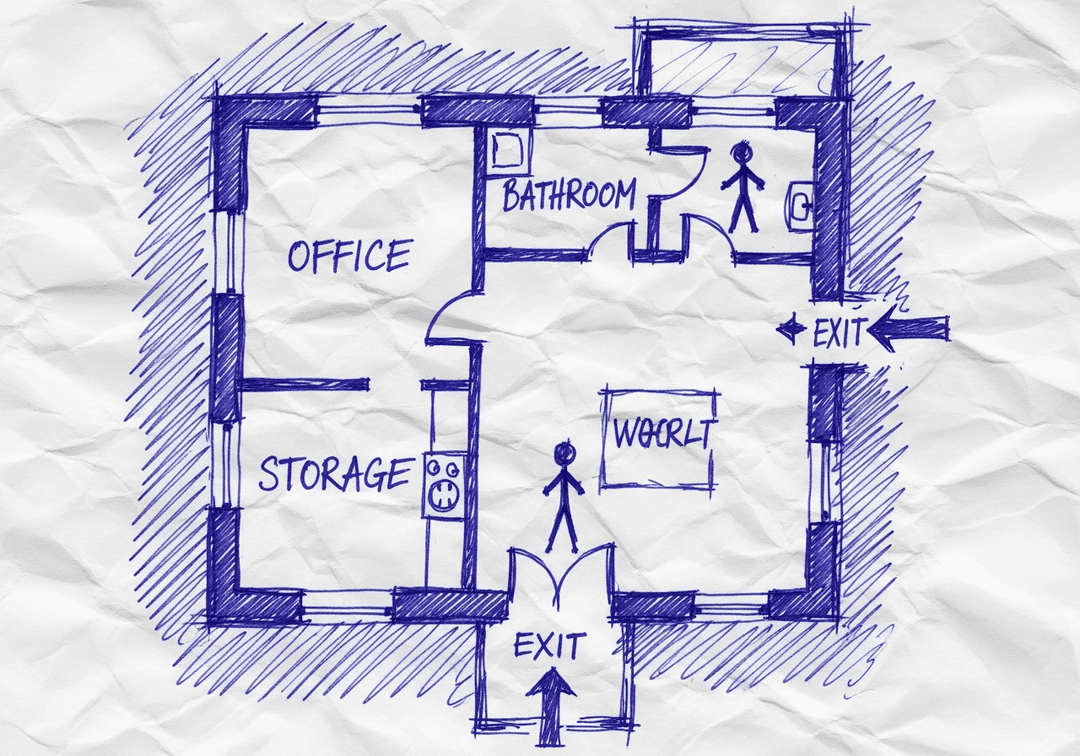
  • 📋Hand-drawn sketches (photographed or scanned)
  • 📋Existing paper evacuation maps (photographed)
  • 📋Building blueprints (any resolution)
  • 📋Real estate floor plan listings
  • 📋Google Maps building outlines
  • 📋Simple room sketches drawn on paper

💰Emergency Floor Plan Cost Comparison

Traditional Consultant

$300-2,500
1-4 weeks

📊Emergency Floor Plan Creator Stats

🗺️
50K+Maps Generated

Emergency floor plans created by our users

30 secAverage Time

From upload to complete emergency floor plan

100%OSHA-Aligned

Every generated plan meets OSHA standards

🌍
80+Countries Supported

Compliance standards for 80+ countries

Stay OSHA-Aligned — Generate Your Map Now

Upload your floor plan and get a print-ready, compliant evacuation map instantly.

Create Your Free Map
⚠️

Important: Review AI-Generated Plans

While our AI accurately identifies most building features and places safety elements correctly, always review and verify your generated emergency floor plan against your actual facility before posting. Confirm that all exits are correctly marked, routes are physically walkable, and equipment locations match reality. Use the built-in editor to make any adjustments. A quick walkthrough comparing the plan to your facility takes 5-10 minutes and ensures full accuracy.

Frequently Asked Questions

Yes. You can create your first emergency floor plan completely free with no credit card required. The free plan includes AI-powered map generation from any floor plan upload, the full drag-and-drop editor, and export in PDF, PNG, or SVG format.

Our creator works for any building type: offices, warehouses, retail stores, restaurants, schools, hospitals, hotels, manufacturing facilities, churches, and more. The AI adapts its safety element placement based on the building type you select.

Yes. Our AI is specifically trained to interpret hand-drawn floor plan sketches. Simply draw your building layout on paper, take a photo with your phone, and upload it. The AI will identify walls, doors, and rooms, then add all required emergency elements.

Yes. Every generated plan includes all elements required by OSHA 29 CFR 1910.38 and recommended by NFPA 101: marked exits, evacuation routes, fire equipment locations, "You Are Here" marker, and assembly points. The plans use OSHA-standard color coding and NFPA 170 safety symbols.

📚
🎁Register for 1 Free File Upload + 5 Regenerations

Create Your OSHA-aligned Safety Map Now

Upload any floor plan and get a professional, OSHA-aligned evacuation map in under 60 seconds.

Instant Results
📋Print-Ready
OSHA-Aligned
💰Save $1,000+

No credit card • No account needed • Unlimited revisions

Generate Your OSHA-Aligned Evacuation Map

Upload your floor plan and get a professional, compliant evacuation map in minutes.

📊 5 Free Maps Left

Create Your Evacuation Map

✏️
High ContrastUse dark ink on white paper. Bold lines help our AI detect walls accurately
📐
Top-Down AnglePhotograph from directly above — tilted angles distort the geometry
🏷️
Label RoomsWrite "Exit", "Storage", "Breakroom" etc. — our AI reads your labels for compliance
🔍
Full Floor PlanCapture the entire layout including all walls, doors, and exits — no cropping
🚪
Mark ExitsCircle or label exit doors with a red dot or "EXIT" text for best detection
💡
Good LightingAvoid shadows and glare — even lighting produces the sharpest results
📁

Drag & drop your floor plan here

or

PNG, JPG, HEIC, TIFF, BMP, PDF - Hand-drawn sketches work too!

Edit your map for free.
Move, resize, and recolor every exit sign, route, and icon.
Create a free account to save and download in HD. No credit card required.
FREE
🔒Your files are private: never shared, stored temporarily, deleted automatically.

Compliance Options

🔥 NEW

Customize Your Map

Add special requests for your safety map - tell our AI exactly what you need!

  • 🎯Add specific details like "Mark fire extinguisher near kitchen"
  • 📍Request specific zones: "Highlight assembly point in parking lot"
  • 🏥Add safety equipment: "Include AED location near reception"
0/2000

Quick Add:

Frequently Asked Questions

Is this evacuation map generator really free?

Yes — you can generate your first OSHA-aligned evacuation map draft completely free. Just upload a floor plan and our AI drafts a professional map in about 30 seconds. No credit card required.

Are the generated maps aligned with OSHA?

Our AI drafts maps that follow OSHA 29 CFR 1910.36–37 and NFPA 101 Life Safety Code standards. Every map includes clearly marked exits, fire extinguisher locations, assembly points, and directional evacuation arrows. Supervisor review is required before posting to your facility.

What file formats can I upload?

We accept JPG, PNG, and PDF floor plans. For best results, use a clear, high-resolution image of your floor plan with visible walls, doors, and rooms.

How long does map generation take?

Most maps are generated in 20–40 seconds. Complex multi-floor plans may take slightly longer. You can download your map immediately after generation.

Can I edit the map after generation?

The generated map is a high-resolution image you can download and print. For custom edits or enterprise features like multi-floor support and branded maps, check our pricing plans.

Is my floor plan data secure?

Yes. All uploads are encrypted in transit (TLS 1.3) and processed in secure cloud environments. We do not share your floor plans with third parties.