โœ… Compliance StandardsEssential Guide

Hotel Evacuation Plan Requirements

A practical hotel and hospitality evacuation-planning guide: identify applicable employee, fire-code, and accessibility duties, then have a local authority review the plan and any diagrams.

NFPA 101Primary Standard
30 secMap Generation
IFC ยง404Fire Safety Code
View Hotel Map Examples

Upload a floor plan and prepare a draft for site-specific review

๐Ÿ›ก๏ธOSHA-Aligned
โญ7,500+ Maps Created
โœ…100% Satisfaction
๐Ÿ”
You searched:"What evacuation plan requirements apply to hotels?"

๐Ÿ“„Are Hotels Required to Have Evacuation Plans?

Hotel obligations depend on the adopted fire and building codes, occupancy classification, licensing rules, and local authority having jurisdiction (AHJ). OSHA 29 CFR 1910.38 addresses Emergency Action Plans when another OSHA standard requires one and applies to employee procedures, not a universal guest-room diagram rule. Adopted editions of NFPA 101 or the International Fire Code (including provisions such as IFC Section 404 where adopted and applicable) may require fire-safety plans, evacuation procedures, or diagrams for a particular property. Confirm the current local code, edition, and AHJ interpretation before relying on a plan or posting a map.

โœ“Possible Hotel Diagram Locations to Confirm with the AHJ

  • โœ“Guest-room doors, if required by the adopted code, license, or AHJ
  • โœ“Corridor intersections or decision points where guests need orientation
  • โœ“Stairwell or elevator-lobby areas, when diagrams are required or useful
  • โœ“Meeting, ballroom, restaurant, pool, spa, or fitness areas as the occupancy and local code warrant
  • โœ“Employee break rooms and back-of-house areas where the employee EAP or local rules call for communication
  • โœ“Lobby, front-desk, parking-garage, and pedestrian areas after site-specific review

๐Ÿ“‹Common Hotel Diagram Content to Verify Locally

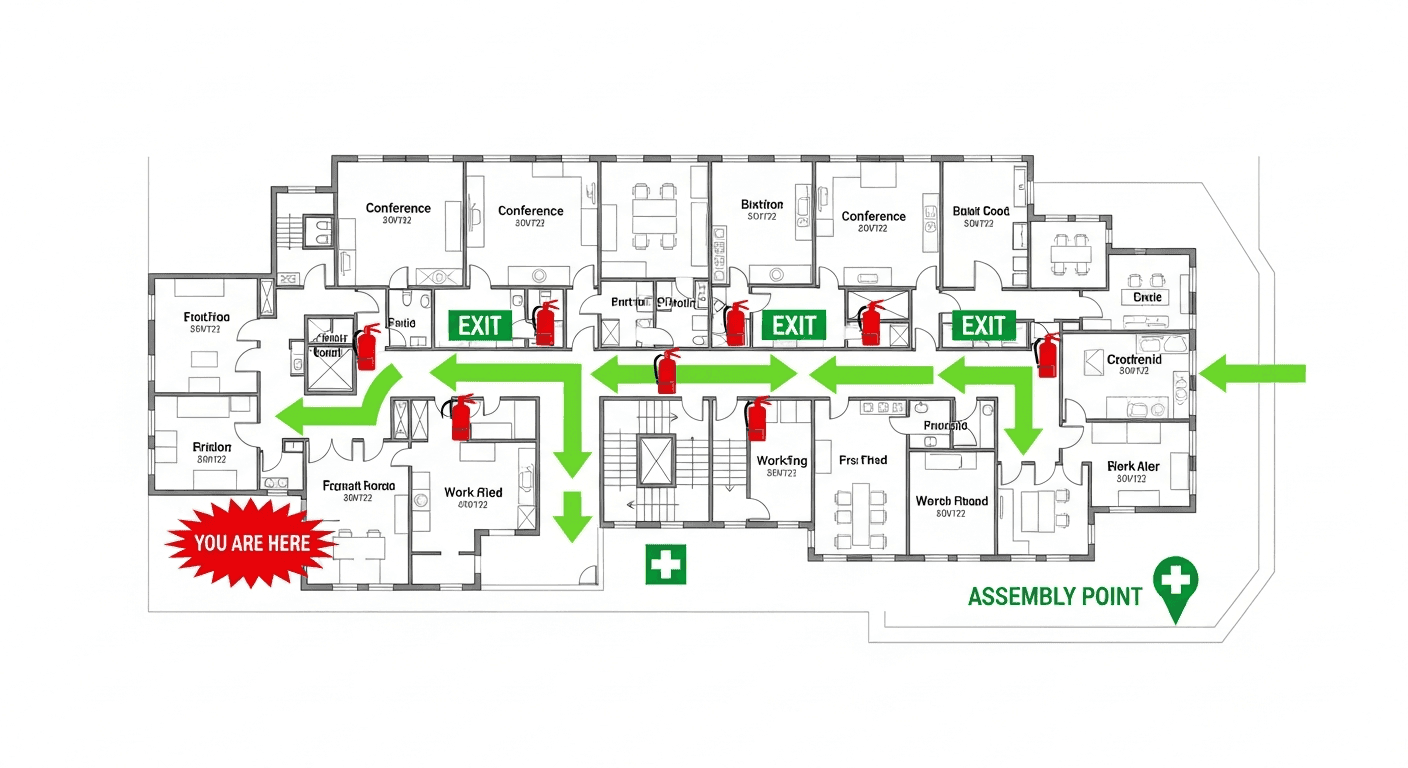
  • ๐Ÿ“‹A location-specific "You Are Here" marker where it is useful or required
  • ๐Ÿ“‹Current available exits, routes, and stairwells relevant to the displayed floor
  • ๐Ÿ“‹Emergency equipment, AEDs, pull stations, or areas of refuge only where present and appropriate to show
  • ๐Ÿ“‹Assembly information and emergency contacts if used by the site plan
  • ๐Ÿ“‹Floor or building identification, legend, and revision date
  • ๐Ÿ“‹Any content, format, language, accessibility, or posting details required by the adopted code or AHJ

โš ๏ธHotel Fire Safety Code Requirements

ViolationMax Fine
NFPA 101 Life Safety CodeApplies when adopted locally; verify occupancy and edition
IFC Section 404 - Fire Safety PlansCheck whether adopted and applicable
IFC Section 405 - Evacuation DrillsFrequency depends on adopted code and occupancy
OSHA 29 CFR 1910.38 - EAPEmployee procedures when required by an applicable OSHA standard
ADA Title III - Accessible RoutesConfirm site-specific accessibility duties
State fire marshal regulationsVaries by state and local jurisdiction

๐Ÿ“„Hotel Diagram Review Workflow

Start with current floor plans and identify occupied areas, exits, stairs, emergency equipment, and accessibility features. Create location-specific diagram drafts where your property needs them, then walk the routes with hotel operations and a qualified reviewer. Before printing or posting, confirm the adopted code edition, required locations and content, language or accessibility needs, and approval process with the AHJ. Update the reviewed materials when routes, rooms, equipment, or local requirements change.

๐Ÿ“„Multi-Floor Hotel Evacuation Strategy

Hotels present unique evacuation challenges due to multi-floor layouts, sleeping guests, and unfamiliar visitors. Useful planning practices can include floor-specific diagrams showing current exit routes, stairwell information, and appropriate accessibility information, plus multilingual materials where needed. Whether diagrams are needed at guest-room doors, and what they must show, depends on the adopted code and AHJ; do not assume a single diagram or route assignment fits every room.

๐Ÿšจ

Preparing for AHJ Review or Inspection

An AHJ may review the items required by the adopted code for the property's occupancy, such as current exit routes, emergency procedures, maintained egress features, accessibility provisions, training or drills, and any required diagrams. Ask the AHJ which edition and local amendments apply and whether diagrams are required at particular locations. Do not treat a map as proof of compliance or assume a particular fine, closure outcome, or inspection result; enforcement and remedies depend on the jurisdiction and facts.

โ“

Frequently Asked Questions

Not under a universal federal OSHA rule. Guest-room diagrams may be required by an adopted fire or building code, hotel licensing rule, brand standard, or the local AHJ. Confirm the current code edition, occupancy classification, and required locations with the AHJ before deciding whether every room needs a diagram.

Review diagrams whenever a renovation, room reconfiguration, exit route, emergency equipment location, or posting location changes. The adopted code, AHJ, insurer, or brand may set additional review or update expectations; confirm those requirements locally.

The AHJ may identify deficiencies, require corrections, or take other action authorized by the locally adopted code. Outcomes, timelines, and penalties vary by jurisdiction and the facts. A reviewed map can support emergency communication but does not assure an inspection outcome.

While not universally required by federal code, bilingual evacuation maps are required by some states and municipalities with significant non-English-speaking populations. NFPA 101 recommends evacuation signage be understandable to all building occupants. Hotels in tourist areas should strongly consider multilingual maps.

๐Ÿ“š

Generate Your OSHA-Aligned Evacuation Map

Upload your floor plan and get a professional, compliant evacuation map in minutes.

๐Ÿ“Š 5 Free Maps Left

Create Your Evacuation Map

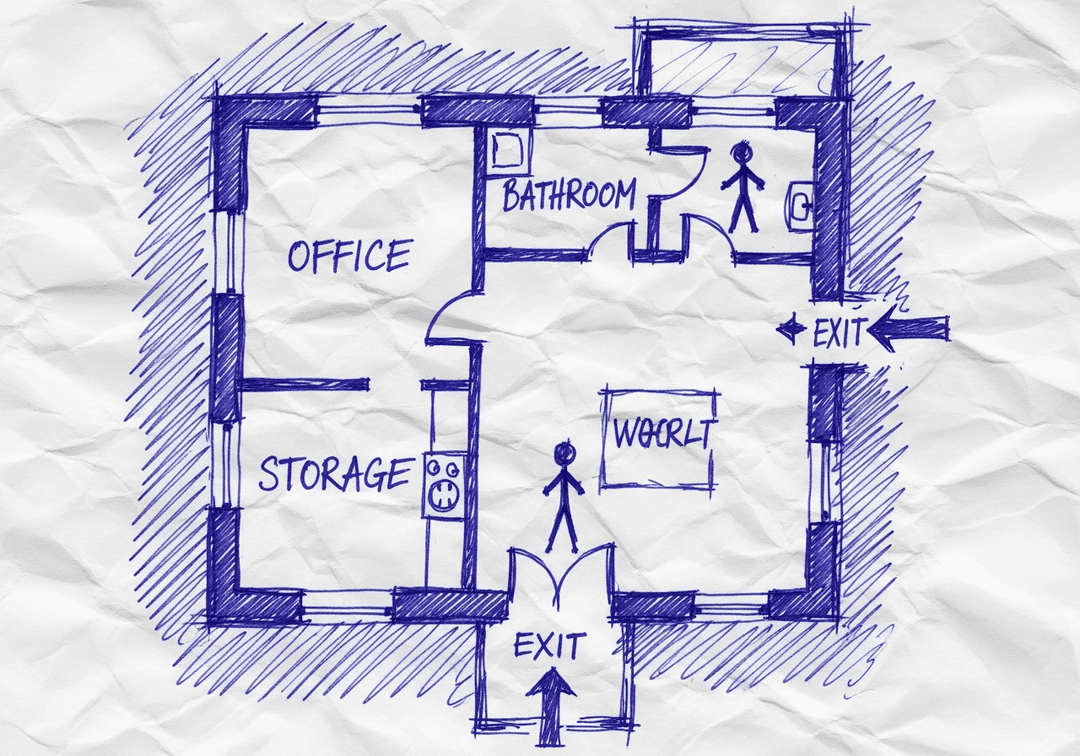
See the safety plan from every angleWatch a sketch become a polished map, then step inside.Watch demo Need to start from a rough layout?Sketch rooms and exits, then turn it into a clear safety map.Draw your map
โœ๏ธ
High ContrastUse dark ink on white paper. Bold lines help our AI detect walls accurately
๐Ÿ“
Top-Down AnglePhotograph from directly above โ€” tilted angles distort the geometry
๐Ÿท๏ธ
Label RoomsWrite "Exit", "Storage", "Breakroom" etc. โ€” our AI reads your labels for compliance
๐Ÿ”
Full Floor PlanCapture the entire layout including all walls, doors, and exits โ€” no cropping
๐Ÿšช
Mark ExitsCircle or label exit doors with a red dot or "EXIT" text for best detection
๐Ÿ’ก
Good LightingAvoid shadows and glare โ€” even lighting produces the sharpest results
๐Ÿ“

Drag & drop your floor plan here

or

PNG, JPG, HEIC, TIFF, BMP, SVG, AVIF, WebP, PDF, DOC, DOCX, PPT, PPTX, XLS, XLSX, ODT, ODP, ODS, DXF, DWG - Hand-drawn sketches work too!

or

No floor plan handy? Try the included floor plan with real AI generation โ€” no upload needed. This may take a minute or longer.

Edit your map for free.
Move, resize, and recolor every exit sign, route, and icon.
Create a free account to save and download in HD. No credit card required.
FREE
๐Ÿ”’Your files are private: never shared, stored temporarily, deleted automatically.

Compliance Options

๐Ÿ”ฅ NEWโœจ

Customize Your Map

Add special requests for your safety map - tell our AI exactly what you need!

  • ๐ŸŽฏAdd specific details like "Mark fire extinguisher near kitchen"
  • ๐Ÿ“Request specific zones: "Highlight assembly point in parking lot"
  • ๐ŸฅAdd safety equipment: "Include AED location near reception"
0/2000

Quick Add:

Automatic (recommended)

Redraw the architecture from your floor plan first, then add editable safety markings. The original upload remains a reference, not the map background.

Frequently Asked Questions

Is this evacuation map generator really free?

Yes โ€” you can generate your first OSHA-aligned evacuation map draft completely free. Just upload a floor plan and our AI drafts a professional map in about 30 seconds. No credit card required.

Are the generated maps aligned with OSHA?

Our AI drafts maps that follow OSHA 29 CFR 1910.36โ€“37 and NFPA 101 Life Safety Code standards. Every map includes clearly marked exits, fire extinguisher locations, assembly points, and directional evacuation arrows. Supervisor review is required before posting to your facility.

What file formats can I upload?

We accept PNG, JPG, GIF, WebP, BMP, TIFF, AVIF, HEIC, SVG, PDF, DOC/DOCX, PPT/PPTX, XLS/XLSX, ODT, ODP, ODS, DXF, and DWG floor plans. Office and CAD files are converted securely before processing; PDF uploads let you choose the source page.

How long does map generation take?

Most maps are generated in 20โ€“40 seconds. Complex multi-floor plans may take slightly longer. You see the preview instantly โ€” create a free account (no credit card) to download the file.

Can I edit the map after generation?

Yes โ€” every generated map opens in a free drag-and-drop editor where you can move, resize, and recolor exit signs, routes, and equipment icons. Enterprise features like multi-floor support and branded maps are available on paid plans.

Is my floor plan data secure?

Yes. All uploads are encrypted in transit (TLS 1.3) and processed in secure cloud environments. We do not share your floor plans with third parties.