πŸšͺFree Instant Emergency Exit Map Creator

Sketch to Emergency Exit Map Generator

Upload your floor plan sketch and instantly generate a professional emergency exit map. Our AI adds exit routes, emergency signage, and assembly points automatically.

60 secGeneration Time
OSHA+NFPACompliant
5 FreeMaps

No design skills needed. Any hand-drawn sketch works.

From Napkin Sketch to Professional Evacuation Map

Transform your hand-drawn floor plans into OSHA-compliant safety maps in seconds

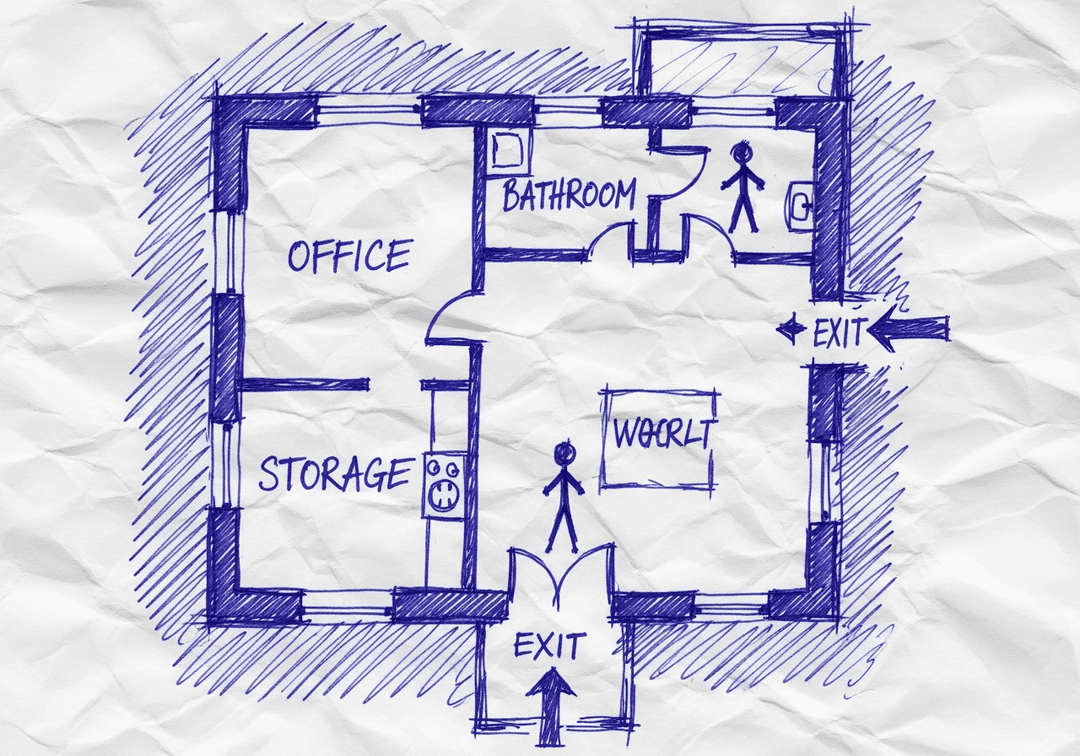
Works with photos, scans, PDFs, CAD files, or even hand-drawn napkin sketches

  • 100% OSHA Compliant
  • Instant Results (~30 sec)
  • Print-Ready (11x8.5" or 17x11")

Transform Any Sketch Into a Professional Map

Do I need design skills to create an evacuation map?

No design skills are required. Our AI understands hand-drawn floor plans, smartphone photos, scanned blueprints, and PDF documents. Simply upload any representation of your facility layout and receive a professional-grade emergency evacuation map instantly.

Are the generated maps OSHA compliant?

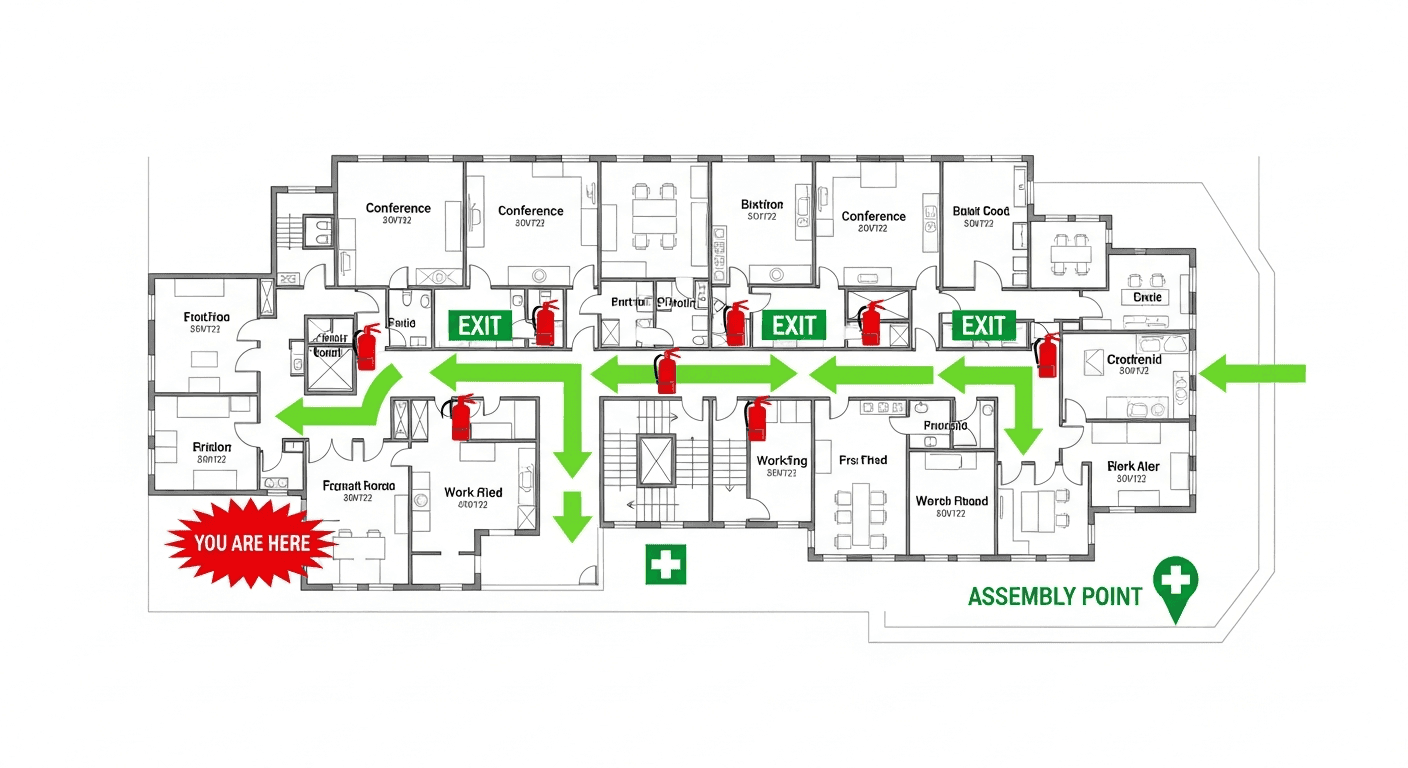
Yes, every generated map meets OSHA 29 CFR 1910.38 Emergency Action Plan requirements including clearly marked exit routes, fire extinguisher locations within 75-foot travel distance, assembly points, YOU ARE HERE markers, and accessibility accommodations per ADA guidelines.

Can I update my evacuation map after renovations?

Yes, unlimited revisions are included. If you renovate your office or add a new emergency exit, simply re-upload your updated floor plan and generate a new compliant map instantly. All free maps include unlimited regeneration so you always have current evacuation documentation.

What types of buildings can use this evacuation map generator?

Our generator works for any building type including warehouses, manufacturing plants, healthcare facilities, schools, retail stores, and office buildings. The AI adapts to any facility size and layout, generating appropriate exit routes, fire safety equipment placement, and assembly point locations.

πŸ›‘οΈ

OSHA & NFPA Compliant

Generated exit maps meet both OSHA 29 CFR 1910.38 and NFPA 101 Life Safety Code requirements for emergency egress

βœ“OSHA
βœ“NFPA 101

From Sketch to Professional Emergency Exit Map

See how our AI transforms any hand-drawn layout into a compliant exit map

✏️
Your Hand Sketch

Draw on paper, napkin, or whiteboard

AI⚑

~60 seconds

πŸšͺ
Emergency Exit Map

Professional, print-ready

Why Use Our Exit Map Generator?

Professional emergency exit maps from any hand-drawn floor layout

01

Specialized for emergency exit map generation

02

Calculates optimal exit routes based on your floor layout

03

Places exit signs at code-required intervals

04

Highlights primary and secondary evacuation paths

05

Includes accessible exit route options for ADA compliance

How It Works

4 simple steps to create your emergency exit map

1

Sketch Your Floor Plan

Draw your floor layout on any paper showing walls, doors, and rooms. Even rough sketches workβ€”our AI understands hand-drawn layouts.

2

Upload Your Sketch

Take a photo or scan your sketch and upload it. We accept photos, scans, PDFs, and existing floor plans of any format.

3

AI Creates Exit Map

Our AI analyzes your layout, calculates optimal exit routes, adds emergency signage, and generates a professional emergency exit map.

4

Download & Deploy

Download your print-ready emergency exit map. Post at all required locations and share digitally with building occupants.

Free Emergency Exit Map Generator

Upload your hand sketch or floor plan. Get a professional exit map instantly.

πŸ“Š 5 of 5 Free Maps Left

Create Your Emergency Exit Evacuation Map

πŸ“·
Clear ImageUse a clean, high-quality scan or photo
↔️
Correct OrientationImage should be right-side up, not rotated or sideways
πŸ”
No ZoomCapture the entire floor plan, avoid zooming in on sections
πŸ’‘
Good LightingThe clearer and less blurry, the better results
πŸ“

Drag & drop your floor plan here

or

PNG, JPG, PDF - Hand-drawn sketches work too!

πŸ”’Your files are private: never shared, stored temporarily, deleted automatically.

Compliance Options

Generate bilingual map with English + Spanish labels

ℹ️Adds Spanish translations (EspaΓ±ol) to all text on the map
πŸ”₯ NEW✨

Customize Your Map

Add special requests for your safety map - tell our AI exactly what you need!

  • 🎯Add specific details like "Mark fire extinguisher near kitchen"
  • πŸ“Request specific zones: "Highlight assembly point in parking lot"
  • πŸ₯Add safety equipment: "Include AED location near reception"
0/2000

Quick Add:

Emergency Exit Map Elements

What our generator automatically includes for compliance

πŸšͺ

Exit Locations

All emergency exits clearly marked with standardized EXIT symbols. Primary and secondary exits are distinguished for easy identification during emergencies.

➑️

Evacuation Routes

Optimal exit routes calculated from every area of your building. Color-coded arrows show the fastest path to the nearest exit from any location.

🧯

Safety Equipment

Fire extinguishers, fire alarm pull stations, and AED locations marked per OSHA requirements. All within required travel distances.

πŸ“

Assembly Points

Designated outdoor assembly areas clearly marked. Safe distances from the building calculated per fire safety standards.

Frequently Asked Questions

Everything you need to know about our exit map generator

How does the sketch to emergency exit map generator work?

Upload any sketch of your floor plan - hand-drawn, photographed, or scanned. Our AI analyzes the layout to identify walls, doors, and rooms, then automatically generates an emergency exit map with optimal evacuation routes, exit signs, fire equipment locations, and assembly points.

What elements are included in the generated emergency exit map?

Every generated map includes: clearly marked emergency exits, primary and secondary evacuation routes with directional arrows, fire extinguisher locations, fire alarm pull stations, EXIT sign placements, "You Are Here" markers, assembly point locations, and a legend explaining all symbols used.

Can the generator create exit maps for complex buildings?

Yes, our generator handles buildings of any complexity - from simple single-room offices to multi-story facilities with complex layouts. Upload sketches for each floor or area, and the AI creates coordinated emergency exit maps that work together as a complete evacuation system.

Are the emergency exit routes calculated automatically?

Yes. Based on your floor layout, our AI calculates the most efficient exit routes from every area of your building. It considers travel distance limits, avoids dead-ends, and ensures routes meet egress requirements. Routes are color-coded for easy visualization during emergencies.

How quickly can I get my emergency exit map?

Generation takes less than 60 seconds. Upload your sketch, wait for processing, and download your professional emergency exit map immediately. No waiting for designers, no back-and-forth revisions - instant results that are ready to print and post.

Is this generator suitable for all building types?

Absolutely. Our generator works for offices, warehouses, retail stores, schools, healthcare facilities, manufacturing plants, and any other building type. The AI adapts exit map requirements based on your selected industry and local regulations.

Ready to Create Your Exit Map?

Upload your hand-drawn sketch and get a professional emergency exit map in seconds. Register for 5 free maps with unlimited revisions.