Quick Answer

Yes, you can create a free editable fire evacuation plan from any sketch. Upload your hand-drawn floor plan, get an OSHA-aligned map in 30 seconds, then edit any element - routes, labels, equipment positions. Save to cloud for future updates.

  • 100% Free
  • Fully Editable
  • Cloud-Saved
  • Unlimited Revisions
🆓100% FREE
✏️FULLY EDITABLE

Turn Any Sketch Into a Fire Evacuation Plan

Quick answer: Convert your sketch to a professional fire evacuation plan that you can edit anytime. Customize every element, save your changes, and download print-ready maps. Completely free. Final review by a qualified safety professional, fire marshal, or AHJ is recommended before posting.

Last reviewed: June 8, 2026 · Reviewed by OSHAMap Safety Editorial Team · Review with a qualified safety professional when required.

Related guides: free evacuation map generator, fire evacuation map requirements, what must be included on a map, where to post maps.

Limited Free Maps Available — Start now before the free tier fills up
FREEForever
100%Editable
Revisions

No credit card required. Edit anytime, download unlimited.

Trusted by businesses of all sizes
🇺🇸Used in all 50 States
🗺️Over 15,000 evacuation maps generated
🔒Built on secure, encrypted infrastructure256-bit SSL
OSHA-aligned US standards29 CFR 1910.38

Have a sketch? Turn it into a fire evacuation plan.

Upload your hand sketch, photo, PDF, or floor layout and OSHAMap generates an editable, OSHA-aligned fire evacuation plan draft in about 60 seconds.

Book Free Map Review

Trusted by offices, warehouses, clinics, schools, hotels & manufacturing sites.

Free Editable Fire Evacuation Plan Generator

Upload your hand sketch. Get a fully editable fire evacuation plan instantly.

📊 5 Free Maps Left

Create Your Editable Fire Evacuation Evacuation Map

✏️
High ContrastUse dark ink on white paper. Bold lines help our AI detect walls accurately
📐
Top-Down AnglePhotograph from directly above — tilted angles distort the geometry
🏷️
Label RoomsWrite "Exit", "Storage", "Breakroom" etc. — our AI reads your labels for compliance
🔍
Full Floor PlanCapture the entire layout including all walls, doors, and exits — no cropping
🚪
Mark ExitsCircle or label exit doors with a red dot or "EXIT" text for best detection
💡
Good LightingAvoid shadows and glare — even lighting produces the sharpest results
📁

Drag & drop your floor plan here

or

PNG, JPG, HEIC, TIFF, BMP, PDF - Hand-drawn sketches work too!

or

No floor plan handy? Generate an instant demo map — no upload needed.

Edit your map for free.
Move, resize, and recolor every exit sign, route, and icon.
Create a free account to save and download in HD. No credit card required.
FREE
🔒Your files are private: never shared, stored temporarily, deleted automatically.

Compliance Options

🔥 NEW

Customize Your Map

Add special requests for your safety map - tell our AI exactly what you need!

  • 🎯Add specific details like "Mark fire extinguisher near kitchen"
  • 📍Request specific zones: "Highlight assembly point in parking lot"
  • 🏥Add safety equipment: "Include AED location near reception"
0/2000

Quick Add:

Frequently Asked Questions

Is this evacuation map generator really free?

Yes — you can generate your first OSHA-aligned evacuation map draft completely free. Just upload a floor plan and our AI drafts a professional map in about 30 seconds. No credit card required.

Are the generated maps aligned with OSHA?

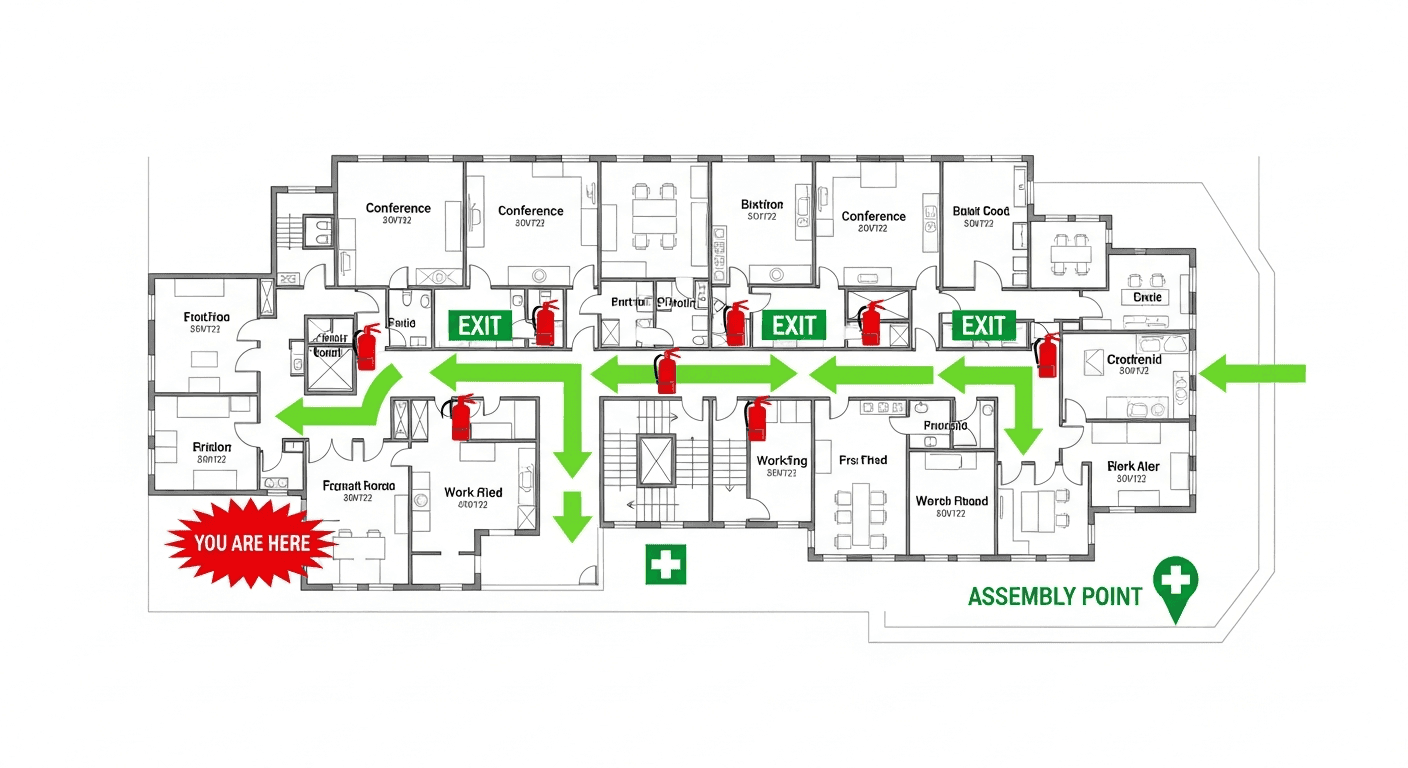
Our AI drafts maps that follow OSHA 29 CFR 1910.36–37 and NFPA 101 Life Safety Code standards. Every map includes clearly marked exits, fire extinguisher locations, assembly points, and directional evacuation arrows. Supervisor review is required before posting to your facility.

What file formats can I upload?

We accept JPG, PNG, and PDF floor plans. For best results, use a clear, high-resolution image of your floor plan with visible walls, doors, and rooms.

How long does map generation take?

Most maps are generated in 20–40 seconds. Complex multi-floor plans may take slightly longer. You can download your map immediately after generation.

Can I edit the map after generation?

The generated map is a high-resolution image you can download and print. For custom edits or enterprise features like multi-floor support and branded maps, check our pricing plans.

Is my floor plan data secure?

Yes. All uploads are encrypted in transit (TLS 1.3) and processed in secure cloud environments. We do not share your floor plans with third parties.

From Napkin Sketch to Professional Evacuation Map

Transform your hand-drawn floor plans into OSHA-aligned safety maps in seconds

Works with photos, scans, PDFs, CAD files, or even hand-drawn napkin sketches

  • OSHA/NFPA-Aligned Draft
  • Instant Results (~30 sec)
  • Print-Ready (11x8.5" or 17x11")

Transform Any Sketch Into a Professional Map

Do I need design skills to create an evacuation map?

No design skills are required. Our AI understands hand-drawn floor plans, smartphone photos, scanned blueprints, and PDF documents. Simply upload any representation of your facility layout and receive a professional-grade emergency evacuation map instantly.

Are the generated maps OSHA-aligned?

OSHAMap is designed to help users organize key evacuation-planning information commonly associated with OSHA 29 CFR 1910.38 — clearly marked exit routes, fire extinguisher locations within 75-foot travel distance, assembly points, YOU ARE HERE markers, and accessibility accommodations per ADA guidelines. Each draft must be reviewed and verified for the actual workplace by the employer, safety officer, or AHJ before posting.

Can I update my evacuation map after renovations?

Yes, unlimited revisions are included. If you renovate your office or add a new emergency exit, simply re-upload your updated floor plan and generate a new compliant map instantly. All free maps include unlimited regeneration so you always have current evacuation documentation.

What types of buildings can use this evacuation map generator?

Our generator works for any building type including warehouses, manufacturing plants, healthcare facilities, schools, retail stores, and office buildings. The AI adapts to any facility size and layout, generating appropriate exit routes, fire safety equipment placement, and assembly point locations.

🛡️

OSHA & NFPA Compliant Output

Every fire evacuation plan meets both OSHA 29 CFR 1910.38 and NFPA 101 Life Safety Code requirements - fully editable while maintaining compliance

OSHA
NFPA

From Hand Sketch to Editable Fire Evacuation Plan

Upload once, edit forever - your plan grows with your facility

✏️
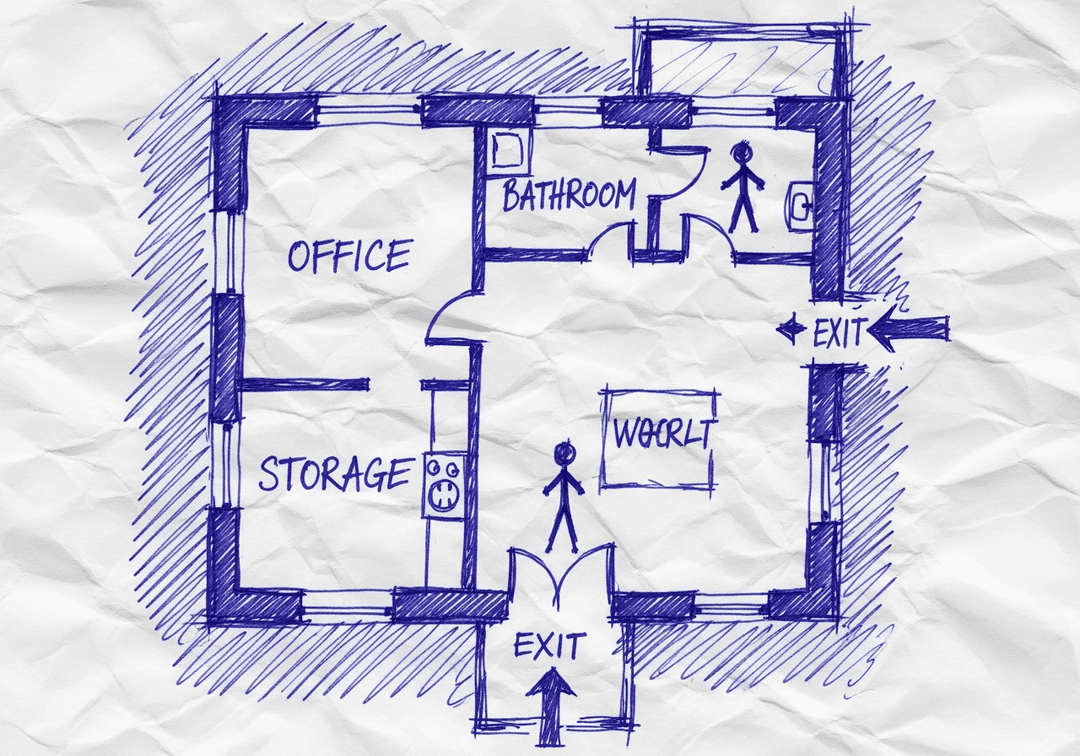
Your Hand Sketch

Draw on paper, napkin, or whiteboard

AI

~60 seconds

✏️
Editable Plan

Edit anytime, save forever

Why Choose Our Free Editable Generator?

Complete control over your fire evacuation plan - no restrictions

✏️

Fully Editable

Change anything after generation - routes, labels, colors, equipment positions

☁️

Cloud-Saved

Your plans save automatically for future updates as your facility changes

🌐

Edit in Browser

No software download required - edit from any device with a web browser

♾️

Unlimited Revisions

Make as many changes as you need and re-download anytime for free

👥

Team Sharing

Collaborate with your team - share edit access for seamless planning

How It Works

4 simple steps to your free editable fire evacuation plan

1

Sketch Your Floor Plan

Draw your floor layout on any paper showing walls, doors, and rooms. Even rough napkin sketches work—our AI understands hand-drawn layouts.

2

Upload Your Sketch

Take a photo or scan your sketch and upload it. We accept photos, scans, PDFs, and existing floor plans.

3

AI Creates Your Editable Plan

Our AI analyzes your layout, adds safety elements, and generates a fully editable fire evacuation plan you can customize.

4

Edit, Save & Download

Make unlimited edits anytime. Save to the cloud, share with your team, and download print-ready PDFs whenever you need.

What You Can Edit - Everything!

Full control over every element of your evacuation plan

➡️

Evacuation Routes

Add, remove, or modify evacuation paths. Change arrow colors and directions. Create multiple route options.

🧯

Safety Equipment

Reposition fire extinguishers, add pull stations, place AED locations. Drag and drop to perfect positions.

🏷️

Labels & Text

Edit room names, add department labels, customize the legend. Use your company's terminology.

🎨

Colors & Branding

Match your company colors, add your logo, customize the overall look while maintaining compliance.

📍

Assembly Points

Set primary and alternate assembly locations. Add specific instructions for different scenarios.

📐

Layout Adjustments

Update when walls move, doors change, or rooms get reconfigured. Your plan adapts with your facility.

Frequently Asked Questions

Everything you need to know about our free editable evacuation plans

Is this fire evacuation plan really free and editable?

Yes, 100% free to generate and edit. Upload your sketch, get a professional fire evacuation plan, and edit any element - routes, labels, safety equipment, colors, text. Download as many times as you want. No credit card, no trial period, no hidden costs for basic features.

What can I edit in the generated evacuation plan?

Everything is editable: evacuation route paths and colors, fire extinguisher positions, exit locations, room labels, department names, assembly point markers, "You Are Here" indicators, legend text, company logo placement, and overall color scheme. Full control over your final map.

Can I save my edits and come back later?

Yes. Create a free account to save your evacuation plans to the cloud. Return anytime to make changes, update routes when your facility layout changes, or create new versions. Your plans are saved securely and accessible from any device.

Do I need special software to edit the evacuation plan?

No software needed. Our entire editor runs in your web browser. Works on any computer, tablet, or smartphone. Just log in, open your plan, and start editing. Changes save automatically, and you can download the updated PDF instantly.

Can multiple people edit the evacuation plan?

Yes, with a registered account you can share edit access with team members. Perfect for facilities managers, safety officers, and department heads who need to collaborate on emergency planning. Everyone sees the latest version in real-time.

What if I need to update the plan when our office changes?

Simply log in, open your saved plan, and make updates. Add new rooms, change exit routes, relocate equipment - all changes are instantly reflected. Download the new version and replace your posted maps. No need to start from scratch or pay for a new plan.

Start Creating Your Free Editable Plan

Upload your sketch now and get a fire evacuation plan you can edit forever. No credit card, no software, no limits.

Disclaimer: OSHAMap produces an OSHA-aligned professional draft designed to support emergency planning. Final review should be confirmed by a qualified safety professional, fire marshal, or authority having jurisdiction (AHJ) before posting or using the map for emergency planning.