✏️

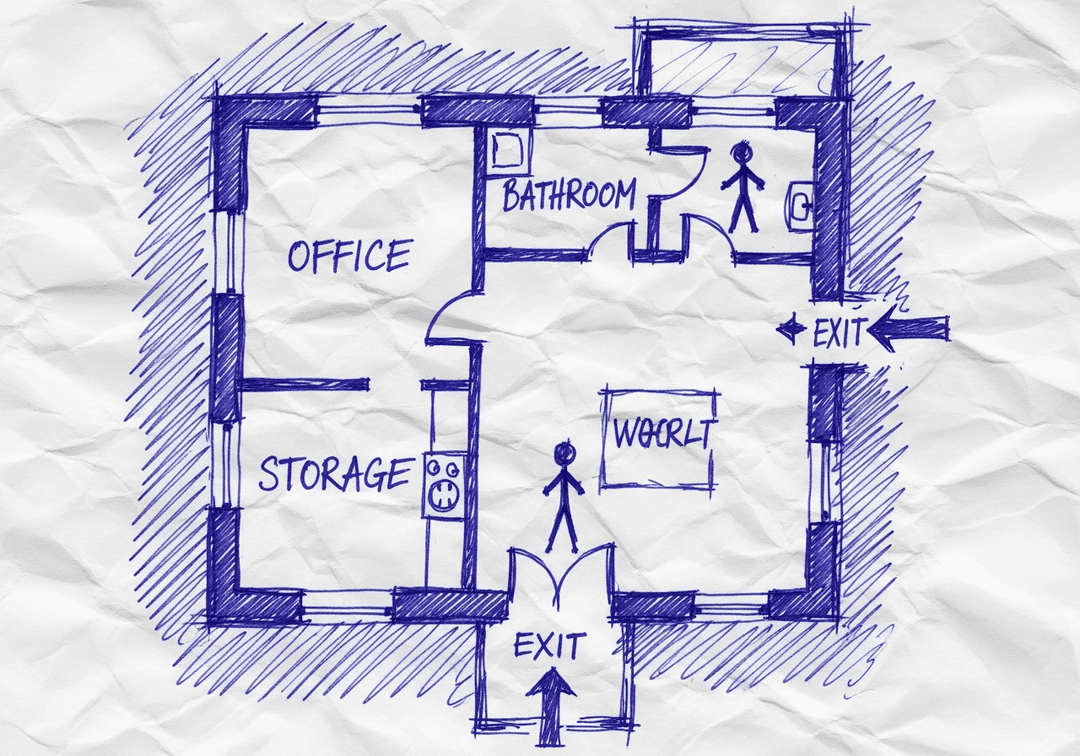
If You Have a Hand Sketch Only — It's Not OSHA Compliant.

Why sketch → pro map is essential.

Hand-drawn sketches may capture basic layout but typically fail OSHA compliance requirements. Learn why converting your sketch to a professional evacuation map is essential for safety and legal protection.

Free preview • No credit card required
⚠️OSHA Compliance Alert

Why This Triggers a Map Update

📋

OSHA requires evacuation plans to be clear and understandable. Hand-sketched maps often lack proper scale, accurate measurements, and required elements like exit routes, fire equipment, and assembly points.

Failure to Update Can Result In:

  • OSHA citations and fines up to $15,625 per violation
  • Increased liability in case of workplace incidents
  • Employee confusion during actual emergencies
  • Failed safety inspections and audits

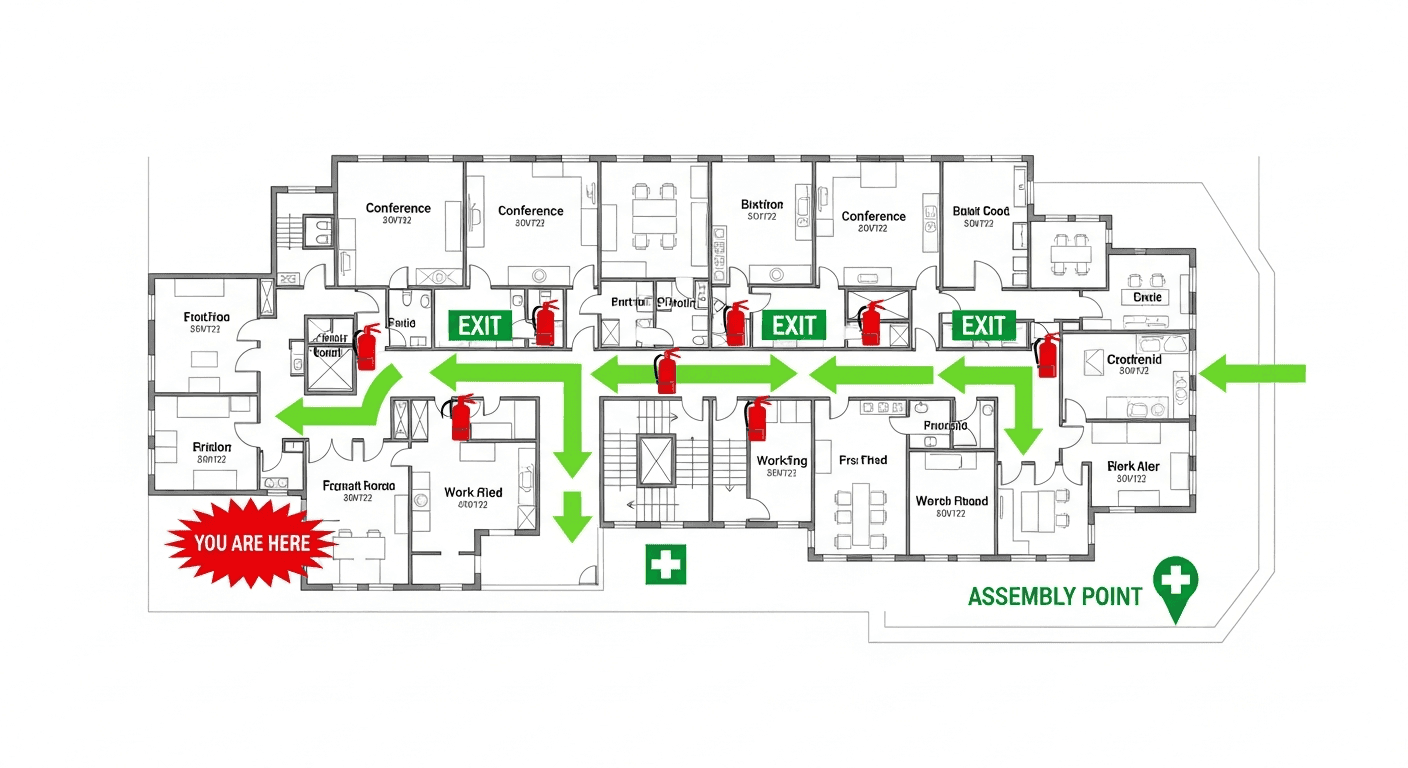
From Napkin Sketch to Professional Evacuation Map

Our AI transforms any floor plan into an OSHA-compliant evacuation map in seconds

Works with photos, scans, PDFs, CAD files, or even hand-drawn napkin sketches

  • 100% OSHA Compliant
  • Instant Results (~30 sec)
  • Print-Ready (11x8.5" or 17x11")

Why Safety Managers Choose Our AI Evacuation Map Generator

Do I need design skills to create an evacuation map?

No design skills are required. Our AI understands hand-drawn floor plans, smartphone photos, scanned blueprints, and PDF documents. Simply upload any representation of your facility layout and receive a professional-grade emergency evacuation map instantly.

Are the generated maps OSHA compliant?

Yes, every generated map meets OSHA 29 CFR 1910.38 Emergency Action Plan requirements including clearly marked exit routes, fire extinguisher locations within 75-foot travel distance, assembly points, YOU ARE HERE markers, and accessibility accommodations per ADA guidelines.

Can I update my evacuation map after renovations?

Yes, unlimited revisions are included. If you renovate your office or add a new emergency exit, simply re-upload your updated floor plan and generate a new compliant map instantly. All free maps include unlimited regeneration so you always have current evacuation documentation.

What types of buildings can use this evacuation map generator?

Our generator works for any building type including warehouses, manufacturing plants, healthcare facilities, schools, retail stores, and office buildings. The AI adapts to any facility size and layout, generating appropriate exit routes, fire safety equipment placement, and assembly point locations.

Generate Your Updated Evacuation Map

Upload your current floor plan and get an OSHA-compliant evacuation map in under 2 minutes

📊 5 of 5 Free Maps Left

Create Your If You Have a Hand Sketch Only — It's Not OSHA Compliant. Evacuation Map

📷
Clear ImageUse a clean, high-quality scan or photo
↔️
Correct OrientationImage should be right-side up, not rotated or sideways
🔍
No ZoomCapture the entire floor plan, avoid zooming in on sections
💡
Good LightingThe clearer and less blurry, the better results
📁

Drag & drop your floor plan here

or

PNG, JPG, PDF - Hand-drawn sketches work too!

🔒Your files are private: never shared, stored temporarily, deleted automatically.

Compliance Options

Generate bilingual map with English + Spanish labels

ℹ️Adds Spanish translations (Español) to all text on the map
🔥 NEW

Customize Your Map

Add special requests for your safety map - tell our AI exactly what you need!

  • 🎯Add specific details like "Mark fire extinguisher near kitchen"
  • 📍Request specific zones: "Highlight assembly point in parking lot"
  • 🏥Add safety equipment: "Include AED location near reception"
0/2000

Quick Add:

When to Update Your Evacuation Map

Use this checklist to determine if your maps need updating

If You Have a Hand Sketch Only — It's Not OSHA Compliant.
Floor layout has changed
Fire equipment relocated
Exit routes modified
Assembly points changed
Annual review due

Why Update with Fire Exit Evacuation Map Generator?

⏱️

Instant Updates

Generate updated maps in under 2 minutes instead of waiting weeks

💰

Save Money

Skip the $500-$2,000 consultant fees for each map update

Stay Compliant

100% OSHA 29 CFR 1910.38 compliant maps every time

🔄

Easy Revisions

Update as often as needed without additional costs

🔓 Free Account Bonus

Unlock 5 Free Evacuation Maps

Create your free account in seconds and get instant access to professional, OSHA-compliant evacuation maps.

What You Get When You Register:

  • 5 Free Full-Quality Downloads - Professional maps ready for printing
  • No Watermarks - Clean, presentation-ready evacuation maps
  • Personal Dashboard - Manage all your maps in one place
  • Save & Revisit Anytime - Access your maps from any device
  • OSHA Compliant - Meets 29 CFR 1910.38 requirements
15,000+Maps Generated
4.9/5User Rating
100%Compliant
Sample Output
Sample If You Have a Hand Sketch Only — It's Not OSHA Compliant. OSHA-compliant evacuation floor plan showing emergency exits, fire extinguisher locations, and assembly points
🧯 Fire Extinguishers🚪 Exit Routes📍 You Are Here

No credit card required • Takes 30 seconds • Instant access

Frequently Asked Questions

Why does if you have a hand sketch only — it's not osha compliant. require an evacuation map update?
OSHA requires evacuation plans to be clear and understandable. Hand-sketched maps often lack proper scale, accurate measurements, and required elements like exit routes, fire equipment, and assembly points. When workplace conditions change, your evacuation maps must reflect the current reality to ensure employee safety and maintain OSHA compliance.
How quickly should I update my evacuation map after this change?
OSHA recommends updating evacuation maps immediately after any significant workplace change. Delays can result in non-compliance during inspections and, more importantly, put employees at risk during emergencies. Our AI generator creates compliant maps in under 2 minutes.
What OSHA regulations apply to evacuation map updates?
OSHA 29 CFR 1910.38 requires employers to have emergency action plans that reflect current workplace conditions. When changes occur that affect evacuation routes, exit accessibility, or safety equipment locations, maps must be updated to maintain compliance.
Can I update my evacuation map myself or do I need a professional?
With Fire Exit Evacuation Map Generator, you can create professional, OSHA-compliant evacuation maps yourself in minutes. Simply upload your updated floor plan and our AI generates a compliant map instantly—no expensive consultants needed.

Don't Wait for an Inspection

Update your evacuation maps now and stay OSHA compliant.