If Your Building Added Outdoor Areas, Your Evacuation Plan Must Expand.
Patios, decks, and outdoor workspaces need coverage.
Adding outdoor patios, decks, or work areas expands the spaces requiring evacuation coverage. Learn why building additions, even outdoor ones, require evacuation plan updates.
Free preview โข No credit card required
Generate Your Evacuation Map
Upload your floor plan to create a professional OSHA-compliant evacuation map.
๐ค
Upload
โก
Generate
โ
Download
๐ 5 Free Regenerations Left
Create Your If Your Building Added Outdoor Areas, Your Evacuation Plan Must Expand. Evacuation Map
๐ท
Clear ImageUse a clean, high-quality scan or photo
โ๏ธ
Correct OrientationImage should be right-side up, not rotated or sideways
๐
No ZoomCapture the entire floor plan, avoid zooming in on sections
๐ก
Good LightingThe clearer and less blurry, the better results
๐
Drag & drop your floor plan here
or
PNG, JPG, PDF - Hand-drawn sketches work too!
๐Your files are private: never shared, stored temporarily, deleted automatically.
Compliance Options
๐ฅ NEWโจ
Customize Your Map
Add special requests for your safety map - tell our AI exactly what you need!
๐ฏAdd specific details like "Mark fire extinguisher near kitchen"
๐Request specific zones: "Highlight assembly point in parking lot"
๐ฅAdd safety equipment: "Include AED location near reception"
0/2000
Quick Add:
Frequently Asked Questions
Is this evacuation map generator really free?
Yes โ you can generate your first OSHA-compliant evacuation map completely free. Just upload a floor plan and our AI creates a professional map in about 30 seconds. No credit card required.
Are the generated maps OSHA-compliant?
Our AI follows OSHA 29 CFR 1910.36โ37 and NFPA 101 Life Safety Code standards. Every map includes clearly marked exits, fire extinguisher locations, assembly points, and directional evacuation arrows.
What file formats can I upload?
We accept JPG, PNG, and PDF floor plans. For best results, use a clear, high-resolution image of your floor plan with visible walls, doors, and rooms.
How long does map generation take?
Most maps are generated in 20โ40 seconds. Complex multi-floor plans may take slightly longer. You can download your map immediately after generation.
Can I edit the map after generation?
The generated map is a high-resolution image you can download and print. For custom edits or enterprise features like multi-floor support and branded maps, check our pricing plans.
Is my floor plan data secure?
Yes. All uploads are encrypted in transit (TLS 1.3) and processed in secure cloud environments. We do not share your floor plans with third parties.
๐Top Converting Industries
Professional Maps for Every Industry
Our AI creates OSHA-compliant maps tailored to your specific industry requirements
๐ Click to enlarge
๐ณ Restaurant & Food Service
Restaurant Evacuation Map
Kitchen hood suppression, grease fire routes, and customer/employee exits clearly marked
โ Hood Suppression Systemโ Class K Extinguishersโ Dual Exit Routesโ Customer Flow Paths
94%Compliance Rate
~30sGeneration Time
Free preview โข OSHA compliant โข Print-ready in 30 seconds
โ๏ธ
OSHA Requirements & Compliance
OSHA requires evacuation plans to cover all occupied areas where employees work. Adding outdoor patios, work areas, or break spaces requires expanding evacuation coverage to include these new areas.
โ29 CFR 1910.38 Compliant
โFire Code Ready
โInspection Approved
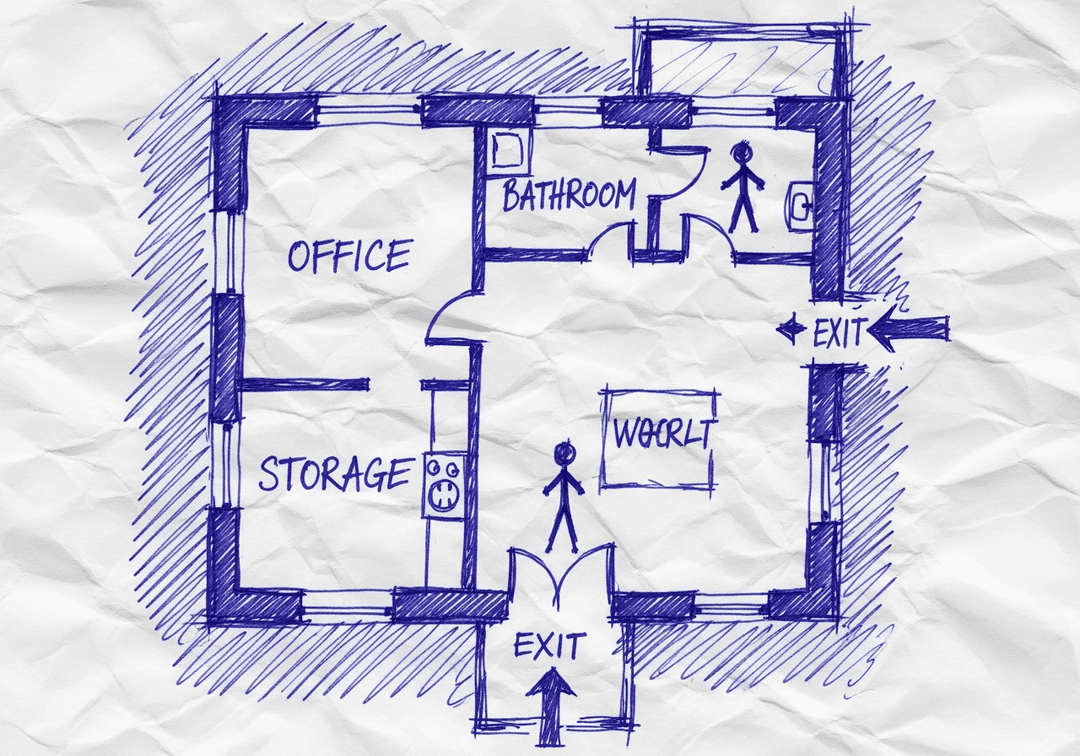
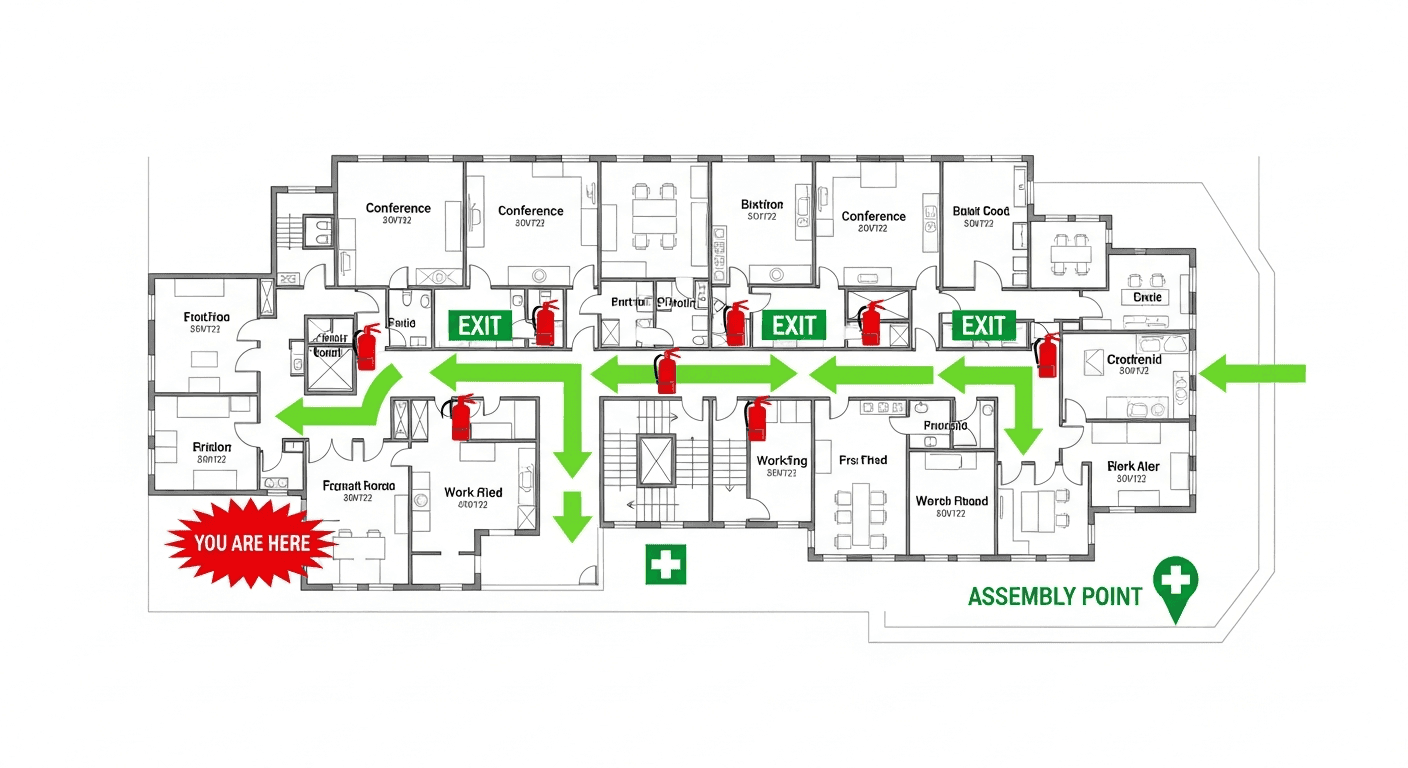
From Napkin Sketch to If Your Building Added Outdoor Areas, Your Evacuation Plan Must Expand. Evacuation Map
Our AI generates professional evacuation maps optimized for if your building added outdoor areas, your evacuation plan must expand. scenarios
โ๏ธYour Sketch
Hand-drawn on paper
Rough layout
Basic room labels
โกAI Magic~30 seconds
โ Professional Result
๐งฏ Fire Extinguishers
๐ช EXIT Signs
โก๏ธ Evacuation Routes
๐ YOU ARE HERE
๐ฅ Assembly Point
๐ฅ First Aid
Works with photos, scans, PDFs, CAD files, or even hand-drawn napkin sketches
โ 100% OSHA Compliant
โ Instant Results (~30 sec)
โ Print-Ready (11x8.5" or 17x11")
Perfect for If Your Building Added Outdoor Areas, Your Evacuation Plan Must Expand. Emergency Planning
Do I need design skills to create an evacuation map?
No design skills are required. Our AI understands hand-drawn floor plans, smartphone photos, scanned blueprints, and PDF documents. Simply upload any representation of your facility layout and receive a professional-grade emergency evacuation map instantly.
Are the generated maps OSHA compliant?
Yes, every generated map meets OSHA 29 CFR 1910.38 Emergency Action Plan requirements including clearly marked exit routes, fire extinguisher locations within 75-foot travel distance, assembly points, YOU ARE HERE markers, and accessibility accommodations per ADA guidelines.
Can I update my evacuation map after renovations?
Yes, unlimited revisions are included. If you renovate your office or add a new emergency exit, simply re-upload your updated floor plan and generate a new compliant map instantly. All free maps include unlimited regeneration so you always have current evacuation documentation.
What types of buildings can use this evacuation map generator?
Our generator works for any building type including warehouses, manufacturing plants, healthcare facilities, schools, retail stores, and office buildings. The AI adapts to any facility size and layout, generating appropriate exit routes, fire safety equipment placement, and assembly point locations.
Why This Situation Requires Updated Evacuation Maps
๐
Layout Changes
When your space configuration changes, your evacuation routes must be updated to reflect the new reality.
โ ๏ธ
Safety Compliance
OSHA requires evacuation maps to accurately reflect current conditions. Outdated maps can result in violations.
๐ฅ
Occupant Safety
Accurate maps ensure everyone knows the safest exit routes during emergencies.
๐
Audit Readiness
Be prepared for inspections with professional, up-to-date evacuation documentation.
Why Choose OSHAMap
โฑ๏ธ
Generate in Minutes
Create professional evacuation maps in under 2 minutes instead of waiting weeks
๐ฐ
Save Money
Skip the $500-$2,000 consultant fees per map
โ
100% Compliant
All maps meet OSHA 29 CFR 1910.38 requirements
๐จ๏ธ
Print Ready
Download high-quality PDF maps ready for posting
๐ Free Account Bonus
Unlock 1 Free File Upload + 5 Regenerations
Create your free account in seconds and get instant access to professional, OSHA-compliant evacuation maps.
What You Get When You Register:
โ1 Free File Upload + 5 Regenerations - Professional maps ready for printing
Why is an evacuation map important for if your building added outdoor areas, your evacuation plan must expand.?
OSHA requires evacuation plans to cover all occupied areas where employees work. Adding outdoor patios, work areas, or break spaces requires expanding evacuation coverage to include these new areas. Having an accurate, up-to-date evacuation map ensures everyone knows the safest exit routes and assembly points in case of an emergency.
How quickly can I create an evacuation map for this situation?
With OSHAMap, you can generate a professional, OSHA-compliant evacuation map in under 2 minutes. Simply upload your floor plan or sketch and our AI handles the rest.
What OSHA requirements apply to this scenario?
OSHA requires evacuation plans to cover all occupied areas where employees work. Adding outdoor patios, work areas, or break spaces requires expanding evacuation coverage to include these new areas. Our AI automatically includes all required elements such as exit routes, fire extinguisher locations, assembly points, and "You Are Here" markers.
Can I update the evacuation map if my layout changes?
Yes! You can regenerate your evacuation map anytime your layout changes. Simply upload the new floor plan and get an updated OSHA-compliant map within minutes.