🚀 Advanced Topics

Evacuation Maps for Multi-Floor Buildings

Special considerations for evacuating multi-story buildings, from stairwell routing to floor-specific assembly points.

Per FloorReview Separately
StairwellPrimary Exit
NoElevators

Create maps for each floor of your building

🛡️OSHA-Aligned
⭐7,500+ Maps Created
✅100% Satisfaction
🔍
You searched:"Multi-floor evacuation map OSHA"

📄Floor-by-Floor Map Requirements

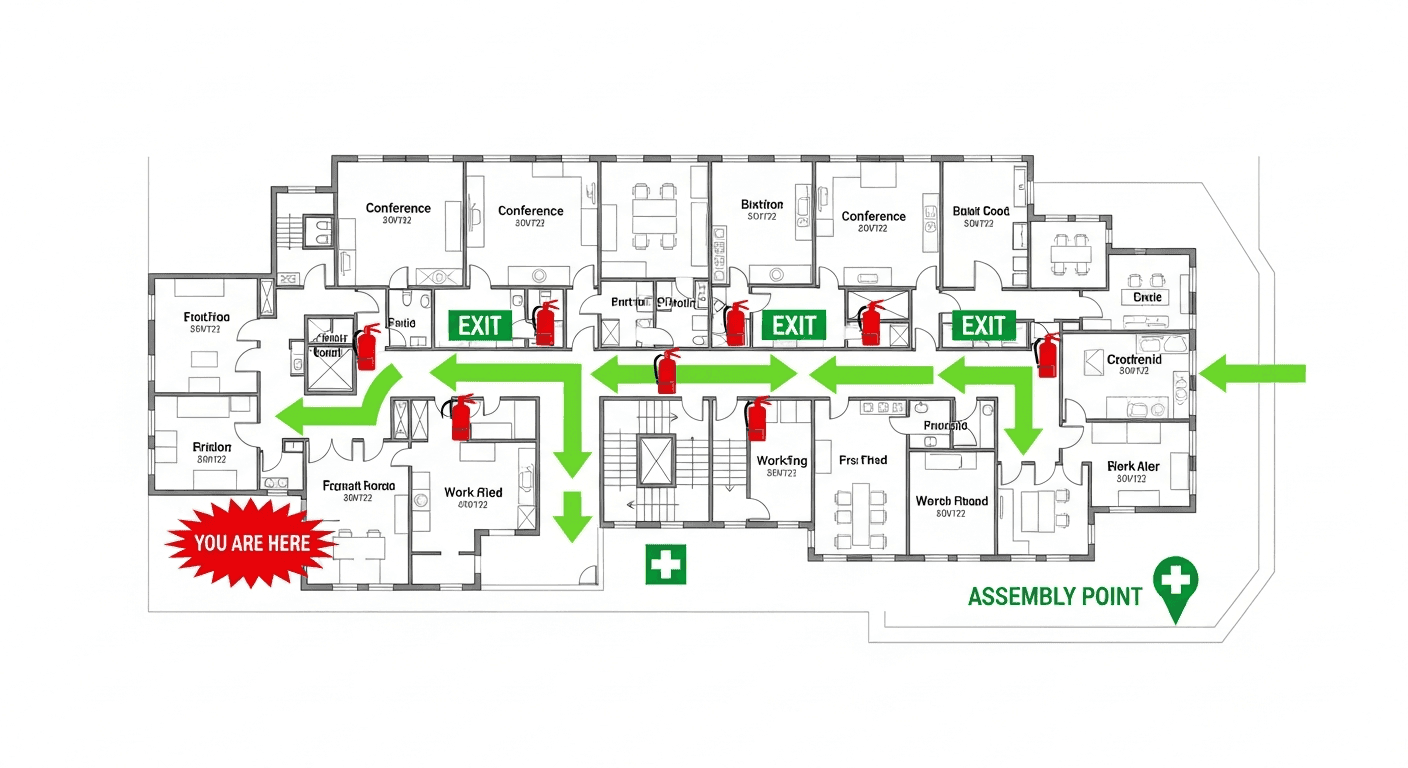
Floor-specific diagrams are often useful and may be required by an adopted code or AHJ. Where used, a draft can show available stair routes, alternate options, floor identification, and how that floor relates to the emergency plan. Verify every route in the building and confirm diagram and posting duties locally.

📋Stairwell vs. Elevator Rules

  • 📋Stairwells are the primary means of evacuation for upper floors
  • 📋Elevators should NEVER be used during fire evacuations
  • 📋Evacuation maps must mark elevators as "NOT for evacuation use"
  • 📋Stairwells must be enclosed with fire-rated doors
  • 📋Each stairwell should be numbered or named for identification
  • 📋Maps should show which floors each stairwell serves

📄Assembly Points for Multi-Floor Buildings

Multi-floor buildings often designate a single outdoor assembly point for all floors, or separate zones for different sections of the building. Assembly points should be: far enough from the building to avoid falling debris, accessible for emergency vehicles, large enough for all occupants, and away from streets with heavy traffic.

📋Where to Post Multi-Floor Maps

  • 📋Stairwell entrances or elevator lobbies where required or useful for orientation
  • 📋Floor entrances, common areas, or high-occupancy areas selected through site and AHJ review
  • 📋Accessible emergency areas when applicable and verified
  • 📋Any locations specifically required by the adopted code

📄High-Rise Building Considerations

Buildings over 75 feet may have additional requirements under local fire codes, including: refuge floors, firefighter service elevators, voice evacuation systems, and defend-in-place strategies for certain populations. Consult your local fire marshal for high-rise specific requirements beyond federal OSHA standards.

📊Multi-Floor Evacuation Statistics

⏱️
45 secPer Floor Average

Average evacuation time adds 45 seconds per floor in high-rise buildings

😰
78%Stairwell Confusion

Of building occupants cannot identify the nearest stairwell without signage

🏢
2.5xLonger Evacuation

Multi-floor buildings take 2.5x longer to fully evacuate than single-story

📋
92%Need Floor-Specific Maps

Fire marshals require floor-specific evacuation maps for buildings over 3 stories

👨‍💼
Expert Tip

Expert Advice: Stairwell Strategy

Captain James WilsonHigh-Rise Fire Rescue Specialist, FDNY (Ret.)

The most dangerous assumption in multi-floor evacuations is that everyone will use the nearest stairwell. In reality, 60% of occupants head to the stairwell they normally use, regardless of their location during the emergency. Your evacuation maps need to override this instinct. Use bold, contrasting colors and large arrows pointing to the NEAREST stairwell from each map location. Number or name your stairwells consistently across all floors (Stairwell A, Stairwell B). During drills, deliberately have people evacuate using different stairwells so they learn multiple routes. One blocked stairwell shouldn't mean everyone is trapped.

🏭Industry-Specific Multi-Floor Considerations

🏢

Office Buildings

  • Designate floor wardens for each floor to coordinate evacuation
  • Include conference room capacities to ensure headcount accuracy
  • Mark printer rooms and server closets that may be occupied
  • Show accessible routes for mobility-impaired employees
🏨

Hotels & Hospitality

  • Confirm guest-room diagram duties with the hotel licensing authority and AHJ
  • Include room number ranges served by each stairwell
  • Mark ice machine and vending alcoves on routes
  • Show elevator lobby evacuation alternatives
🏥

Healthcare Facilities

  • Include horizontal evacuation zones for defend-in-place
  • Mark medical gas shutoff locations on each floor
  • Show patient evacuation routes separate from visitor routes
  • Include bed staging areas for non-ambulatory patients
❓

Frequently Asked Questions

Not under a universal federal rule. An adopted code or AHJ may require floor-specific diagrams. Where they are used, verify the floor, available stair routes, location marker, and relevant equipment against actual conditions.

No. Standard evacuation protocol prohibits elevator use during fire emergencies because elevators may malfunction, open on the fire floor, or trap occupants. Evacuation maps should clearly mark elevators as NOT for emergency use.

Assembly points should be at least 100 feet from the building, away from areas where debris might fall, accessible to emergency vehicles, and large enough to accommodate all building occupants.

Confirm posting locations with the AHJ under the locally adopted code and occupancy rules. If diagrams are required, decision points such as stair or elevator lobbies may be appropriate, and each copy should be reviewed for location-specific orientation.

Defend-in-place moves occupants horizontally to a protected smoke compartment on the same floor instead of immediately down the stairs. It is common in hospitals, nursing homes, and high-rises where full vertical evacuation is not practical. The applicable NFPA 101 occupancy chapter and the building fire safety plan govern when it applies, and multi-floor maps should mark smoke compartments and areas of refuge.

Yes, where they exist. An area of refuge is a fire-rated space — often a stairwell landing — where occupants who cannot use stairs can await assisted rescue. The International Building Code (IBC) and ADA require accessible areas of refuge in many multi-story buildings, and NFPA 101 addresses their use. Mark each area of refuge and its two-way communication device on the floor diagram.

📚

Generate Your OSHA-Aligned Evacuation Map

Upload your floor plan and get a professional, compliant evacuation map in minutes.

📊 5 Free Maps Left

Create Your Evacuation Map

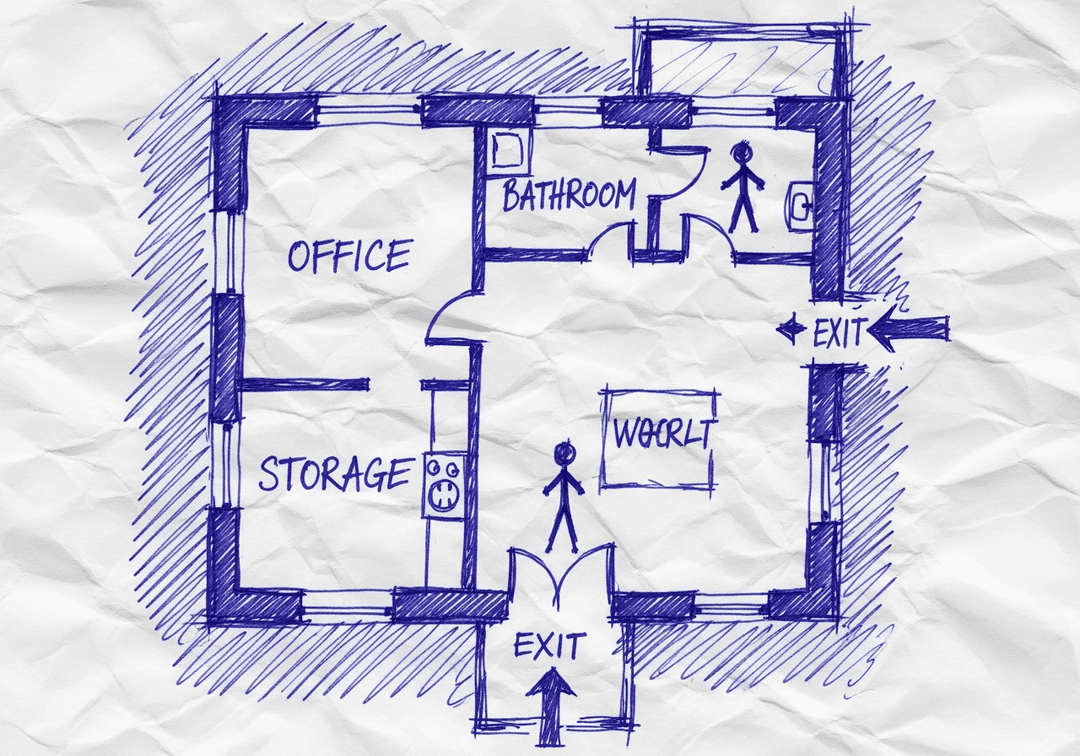
See the safety plan from every angleWatch a sketch become a polished map, then step inside.Watch demo Need to start from a rough layout?Sketch rooms and exits, then turn it into a clear safety map.Draw your map
✏️
High ContrastUse dark ink on white paper. Bold lines help our AI detect walls accurately
📐
Top-Down AnglePhotograph from directly above — tilted angles distort the geometry
🏷️
Label RoomsWrite "Exit", "Storage", "Breakroom" etc. — our AI reads your labels for compliance
🔍
Full Floor PlanCapture the entire layout including all walls, doors, and exits — no cropping
🚪
Mark ExitsCircle or label exit doors with a red dot or "EXIT" text for best detection
💡
Good LightingAvoid shadows and glare — even lighting produces the sharpest results
📁

Drag & drop your floor plan here

or

PNG, JPG, HEIC, TIFF, BMP, SVG, AVIF, WebP, PDF, DOC, DOCX, PPT, PPTX, XLS, XLSX, ODT, ODP, ODS, DXF, DWG - Hand-drawn sketches work too!

or

No floor plan handy? Try the included floor plan with real AI generation — no upload needed. This may take a minute or longer.

Edit your map for free.
Move, resize, and recolor every exit sign, route, and icon.
Create a free account to save and download in HD. No credit card required.
FREE
🔒Your files are private: never shared, stored temporarily, deleted automatically.

Compliance Options

🔥 NEW✨

Customize Your Map

Add special requests for your safety map - tell our AI exactly what you need!

  • 🎯Add specific details like "Mark fire extinguisher near kitchen"
  • 📍Request specific zones: "Highlight assembly point in parking lot"
  • 🏥Add safety equipment: "Include AED location near reception"
0/2000

Quick Add:

Automatic (recommended)

Redraw the architecture from your floor plan first, then add editable safety markings. The original upload remains a reference, not the map background.

Frequently Asked Questions

Is this evacuation map generator really free?

Yes — you can generate your first OSHA-aligned evacuation map draft completely free. Just upload a floor plan and our AI drafts a professional map in about 30 seconds. No credit card required.

Are the generated maps aligned with OSHA?

Our AI drafts maps that follow OSHA 29 CFR 1910.36–37 and NFPA 101 Life Safety Code standards. Every map includes clearly marked exits, fire extinguisher locations, assembly points, and directional evacuation arrows. Supervisor review is required before posting to your facility.

What file formats can I upload?

We accept PNG, JPG, GIF, WebP, BMP, TIFF, AVIF, HEIC, SVG, PDF, DOC/DOCX, PPT/PPTX, XLS/XLSX, ODT, ODP, ODS, DXF, and DWG floor plans. Office and CAD files are converted securely before processing; PDF uploads let you choose the source page.

How long does map generation take?

Most maps are generated in 20–40 seconds. Complex multi-floor plans may take slightly longer. You see the preview instantly — create a free account (no credit card) to download the file.

Can I edit the map after generation?

Yes — every generated map opens in a free drag-and-drop editor where you can move, resize, and recolor exit signs, routes, and equipment icons. Enterprise features like multi-floor support and branded maps are available on paid plans.

Is my floor plan data secure?

Yes. All uploads are encrypted in transit (TLS 1.3) and processed in secure cloud environments. We do not share your floor plans with third parties.