โญ Authority ContentEssential Guide

AI-Generated Evacuation Maps: The Future of Safety

Discover how artificial intelligence speeds up evacuation-map drafting while keeping workplace and AHJ review in the loop.

MinutesNot Days
ReviewSite-Specific
AIPowered

Experience the future of evacuation maps

๐Ÿ›ก๏ธOSHA-Aligned
โญ7,500+ Maps Created
โœ…100% Satisfaction
๐Ÿ”
You searched:"AI evacuation map generator"

๐Ÿ“„The AI Revolution in Safety Mapping

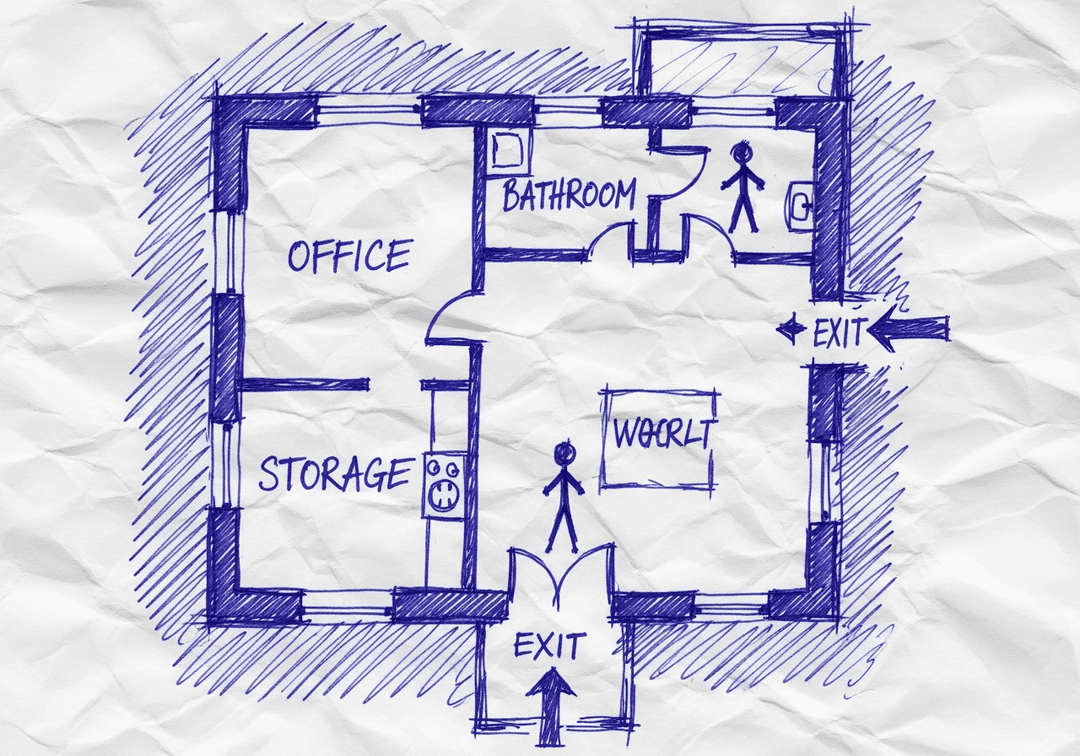
Traditional evacuation map creation required CAD expertise, days of work, and expensive consultants. AI-powered generation changes everything: upload a floor plan, and intelligent algorithms identify walls, doors, and spaces automatically. The AI then applies OSHA-aligned routing, optimal exit marking, and proper symbol placement - all in minutes instead of days.

๐Ÿ“‹How AI Map Generation Works

  • ๐Ÿ“‹Computer vision analyzes floor plan images or blueprints
  • ๐Ÿ“‹AI identifies walls, doors, corridors, and open spaces
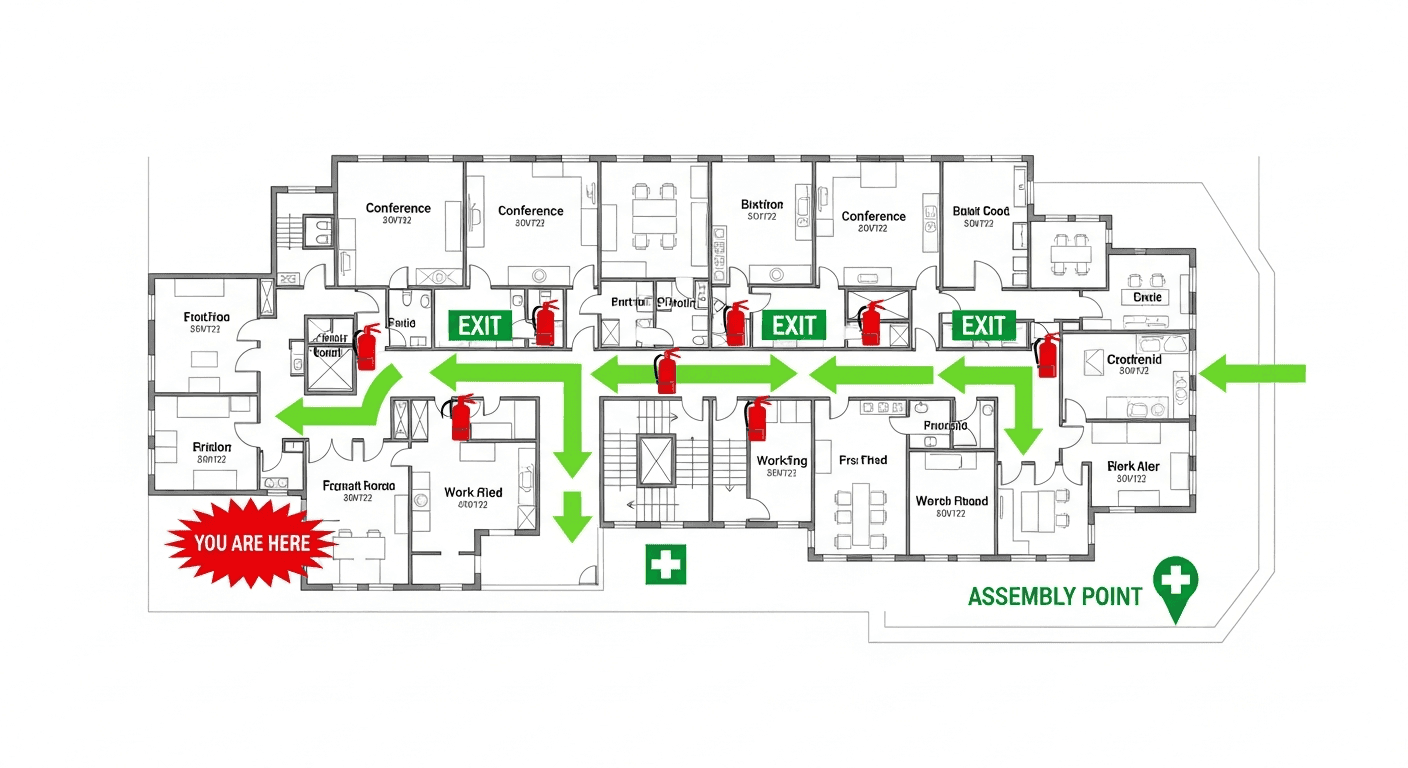
  • ๐Ÿ“‹Machine learning proposes OSHA-aligned routes and symbols for review
  • ๐Ÿ“‹Optimal evacuation routes calculated based on occupancy and exits
  • ๐Ÿ“‹Proper symbols placed for fire equipment and safety features
  • ๐Ÿ“‹ADA-accessible routes identified and marked
  • ๐Ÿ“‹Professional output generated in print-ready formats

โœ“Benefits of AI-Generated Maps

  • โœ“Speed: Minutes instead of days or weeks
  • โœ“Cost: Fraction of professional consultant fees
  • โœ“Consistency: A repeatable draft structure for safety-team review
  • โœ“Updates: Regenerate instantly when layout changes
  • โœ“Accessibility: No CAD skills required
  • โœ“Scalability: Generate maps for entire building portfolios
  • โœ“Scalability: A common draft-and-review process across locations

๐Ÿ“„Built-In Review Prompts

AI-generated drafts can propose primary and secondary routes, "You Are Here" markers, equipment symbols, accessible-route cues, and assembly points. The source plan may be incomplete and requirements vary by workplace and jurisdiction, so a safety professional should compare every proposed element with the actual facility and applicable rules before posting.

๐Ÿ“‹Industry Applications

  • ๐Ÿ“‹Property Management: Generate maps for entire portfolios
  • ๐Ÿ“‹Retail Chains: Consistent maps across all store locations
  • ๐Ÿ“‹Healthcare: Meet Joint Commission requirements efficiently
  • ๐Ÿ“‹Manufacturing: Handle complex floor plans with multiple hazards
  • ๐Ÿ“‹Education: Cover all buildings on campus
  • ๐Ÿ“‹Hospitality: Update maps for frequent renovations

๐Ÿ“„The Future of AI Safety Mapping

AI capabilities continue to evolve. Future developments include: real-time route optimization during actual emergencies, integration with building sensors for dynamic updates, predictive analytics for evacuation time estimates, automatic multi-language generation, and AR (augmented reality) wayfinding. Early adoption positions your organization at the forefront of safety technology.

๐Ÿ“ŠAI-Generated Maps: What the Tool Provides

โšก
FastFirst Draft

AI turns an uploaded floor plan into an editable starting point

โœ…
EditableSafety Elements

Review and adjust proposed routes, markers, labels, and symbols

๐Ÿ’ฐ
ReusableUpdate Workflow

Create a new draft when the layout or emergency plan changes

๐Ÿ“Š
RequiredHuman Review

Verify the draft against the facility and applicable requirements

๐Ÿ‘จโ€๐Ÿ’ผ
Expert Tip

Expert Perspective on AI Safety Mapping

Dr. Amanda FosterWorkplace Safety Researcher, MIT

AI-generated evacuation-map drafts can make it easier for smaller organizations to begin organizing route and equipment information. They are not a substitute for a site walk, employee procedures, or qualified review. A restaurant owner can use an AI draft to start the same disciplined review process used by larger organizations, then compare the draft with the actual layout and applicable requirements. The value of AI is speed and consistency in draftingโ€”not a guarantee that every site-specific OSHA, fire-code, or accessibility requirement has been met.

๐Ÿ’ฐAI vs. Traditional Map Creation

Traditional Consultant

$1,500-5,000 per facility
2-6 weeks including revisions
โ“

Frequently Asked Questions

They can be useful drafts organized around common evacuation-planning considerations, but AI cannot determine every site-specific duty or verify the physical workplace. Review routes, equipment, accessibility information, applicable OSHA standards, adopted codes, and AHJ requirements before use.

Accuracy depends on the source image, building complexity, and human review. AI can misidentify walls, doors, routes, or equipment and cannot inspect the site. Compare every draft with current conditions and have a responsible workplace reviewer or qualified professional approve corrections before use.

AI excels at creating OSHA-aligned evacuation maps quickly and affordably. For standard buildings, AI may fully replace consultant services for mapping. Complex facilities or those requiring site assessments may still benefit from professional consultation in addition to AI-generated maps.

๐Ÿ“š

Generate Your OSHA-Aligned Evacuation Map

Upload your floor plan and get a professional, compliant evacuation map in minutes.

๐Ÿ“Š 5 Free Maps Left

Create Your Evacuation Map

See the safety plan from every angleWatch a sketch become a polished map, then step inside.Watch demo Need to start from a rough layout?Sketch rooms and exits, then turn it into a clear safety map.Draw your map
โœ๏ธ
High ContrastUse dark ink on white paper. Bold lines help our AI detect walls accurately
๐Ÿ“
Top-Down AnglePhotograph from directly above โ€” tilted angles distort the geometry
๐Ÿท๏ธ
Label RoomsWrite "Exit", "Storage", "Breakroom" etc. โ€” our AI reads your labels for compliance
๐Ÿ”
Full Floor PlanCapture the entire layout including all walls, doors, and exits โ€” no cropping
๐Ÿšช
Mark ExitsCircle or label exit doors with a red dot or "EXIT" text for best detection
๐Ÿ’ก
Good LightingAvoid shadows and glare โ€” even lighting produces the sharpest results
๐Ÿ“

Drag & drop your floor plan here

or

PNG, JPG, HEIC, TIFF, BMP, SVG, AVIF, WebP, PDF, DOC, DOCX, PPT, PPTX, XLS, XLSX, ODT, ODP, ODS, DXF, DWG - Hand-drawn sketches work too!

or

No floor plan handy? Try the included floor plan with real AI generation โ€” no upload needed. This may take a minute or longer.

Edit your map for free.
Move, resize, and recolor every exit sign, route, and icon.
Create a free account to save and download in HD. No credit card required.
FREE
๐Ÿ”’Your files are private: never shared, stored temporarily, deleted automatically.

Compliance Options

๐Ÿ”ฅ NEWโœจ

Customize Your Map

Add special requests for your safety map - tell our AI exactly what you need!

  • ๐ŸŽฏAdd specific details like "Mark fire extinguisher near kitchen"
  • ๐Ÿ“Request specific zones: "Highlight assembly point in parking lot"
  • ๐ŸฅAdd safety equipment: "Include AED location near reception"
0/2000

Quick Add:

Automatic (recommended)

Redraw the architecture from your floor plan first, then add editable safety markings. The original upload remains a reference, not the map background.

Frequently Asked Questions

Is this evacuation map generator really free?

Yes โ€” you can generate your first OSHA-aligned evacuation map draft completely free. Just upload a floor plan and our AI drafts a professional map in about 30 seconds. No credit card required.

Are the generated maps aligned with OSHA?

Our AI drafts maps that follow OSHA 29 CFR 1910.36โ€“37 and NFPA 101 Life Safety Code standards. Every map includes clearly marked exits, fire extinguisher locations, assembly points, and directional evacuation arrows. Supervisor review is required before posting to your facility.

What file formats can I upload?

We accept PNG, JPG, GIF, WebP, BMP, TIFF, AVIF, HEIC, SVG, PDF, DOC/DOCX, PPT/PPTX, XLS/XLSX, ODT, ODP, ODS, DXF, and DWG floor plans. Office and CAD files are converted securely before processing; PDF uploads let you choose the source page.

How long does map generation take?

Most maps are generated in 20โ€“40 seconds. Complex multi-floor plans may take slightly longer. You see the preview instantly โ€” create a free account (no credit card) to download the file.

Can I edit the map after generation?

Yes โ€” every generated map opens in a free drag-and-drop editor where you can move, resize, and recolor exit signs, routes, and equipment icons. Enterprise features like multi-floor support and branded maps are available on paid plans.

Is my floor plan data secure?

Yes. All uploads are encrypted in transit (TLS 1.3) and processed in secure cloud environments. We do not share your floor plans with third parties.