Complete Guide to Emergency Evacuation Map Creation
Why Every Workplace Needs a Professional Emergency Evacuation Map
Emergency evacuation maps serve as critical life-safety documents in workplaces across the United States. When fire alarms sound or emergencies occur, employees and visitors rely on clearly posted evacuation maps to navigate quickly and safely to exits. According to OSHA, proper emergency action plans—including well-designed evacuation maps—can significantly reduce injury rates during workplace emergencies.
An effective emergency evacuation map creator eliminates the guesswork from map creation. Rather than relying on generic templates or expensive consultants, businesses can generate customized, code-compliant maps tailored to their specific floor layouts and industry requirements. This democratization of safety compliance helps small businesses achieve the same level of protection as large corporations.
Key Elements of OSHA-Compliant Evacuation Maps
A comprehensive emergency evacuation map must include several critical elements to meet OSHA requirements and effectively guide occupants during emergencies:
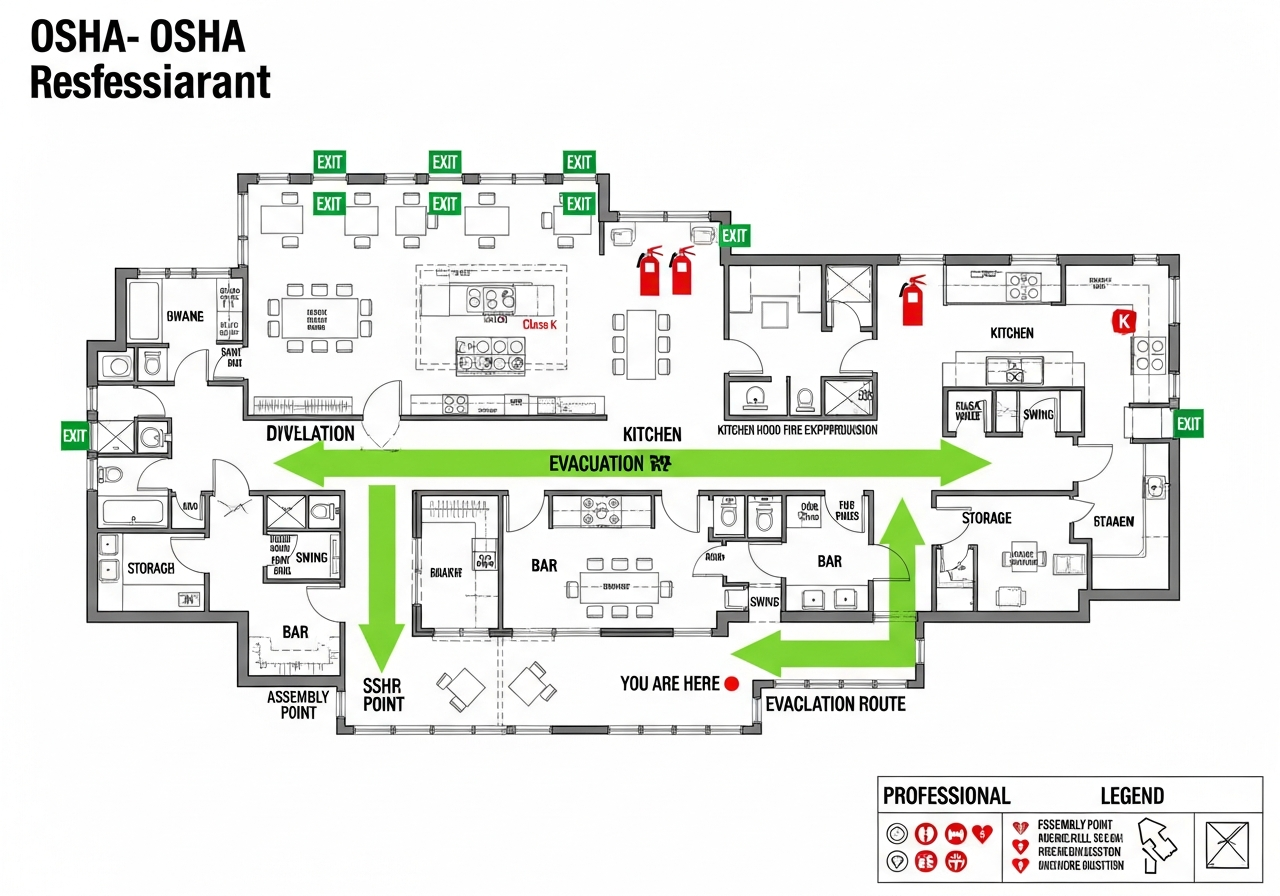
Primary and Secondary Exit Routes: Maps must clearly show the primary evacuation path from each area, typically marked with green arrows. Secondary or alternate routes should be indicated with yellow or orange arrows, providing options if primary routes are blocked.
"You Are Here" Indicators: Each posted map should include a clear marker showing the viewer's current location, enabling quick orientation and route selection.
Fire Safety Equipment: Fire extinguisher locations must be marked, with OSHA requiring Class A extinguishers within 75 feet travel distance in most workplaces. Fire alarm pull stations and AED locations should also be indicated.
Assembly Points: Maps should indicate outdoor assembly areas where employees gather after evacuation, enabling headcounts and ensuring everyone has safely exited.
Accessible Routes: ADA-compliant routes for individuals with mobility impairments must be shown, including areas of refuge where individuals can await assistance if needed.
The Role of Technology in Modern Evacuation Map Creation
Traditional evacuation map creation required hiring architects, safety consultants, or graphic designers—often costing $500 to $2,000 or more per map. Modern AI-powered emergency evacuation map creators like ours have transformed this process, making professional-quality maps accessible to all businesses regardless of size or budget.
Our AI analyzes floor plan images using computer vision technology, identifying walls, doors, corridors, and potential exit points. It then applies OSHA requirements and industry best practices to generate evacuation routes, position safety equipment markers, and create print-ready maps in seconds rather than days.
Posting and Maintaining Emergency Evacuation Maps
Creating the map is only the first step. OSHA and fire codes require evacuation maps to be posted at specific locations:
- Building entrances: Main entry points where employees and visitors first enter
- Near elevators and stairwells: Key navigation points in multi-story buildings
- Break rooms and common areas: High-traffic locations where employees gather
- At exit doors: Confirming proper exit routes at discharge points
- Guest rooms (hotels): Posted on the back of guest room doors
Maps must be updated whenever floor layouts change, exits are modified, or safety equipment is relocated. With our emergency evacuation map creator, updates take less than 60 seconds—simply upload the new floor plan and regenerate.
Integration with Emergency Action Plans
Your emergency evacuation map should be part of a comprehensive Emergency Action Plan (EAP) as required by OSHA 29 CFR 1910.38. The EAP should include:
- Procedures for reporting fires and emergencies
- Evacuation procedures and emergency escape routes (your evacuation maps)
- Procedures for employees who remain to perform critical operations
- Accounting for all employees after evacuation
- Rescue and medical duties for designated employees
- Names or job titles of persons to contact for plan information
Use our OSHA Emergency Action Plan Template to create a complete EAP that incorporates your evacuation maps.