πŸ“ Emergency PlanningEssential Guide

Emergency Exit Map: What It Is & How to Create One

A practical guide to creating emergency exit maps that meet OSHA and NFPA requirements. Learn what to include, where to post, and how to generate professional maps quickly.

0Creation Time
0Required Elements
0Consultant Cost Saved

Generate a professional emergency exit map in minutes

πŸ›‘οΈOSHA Compliant
⭐10,000+ Maps Created
βœ…100% Satisfaction
πŸ”
You searched:"How do I create an emergency exit map?"

πŸ“„What Is an Emergency Exit Map?

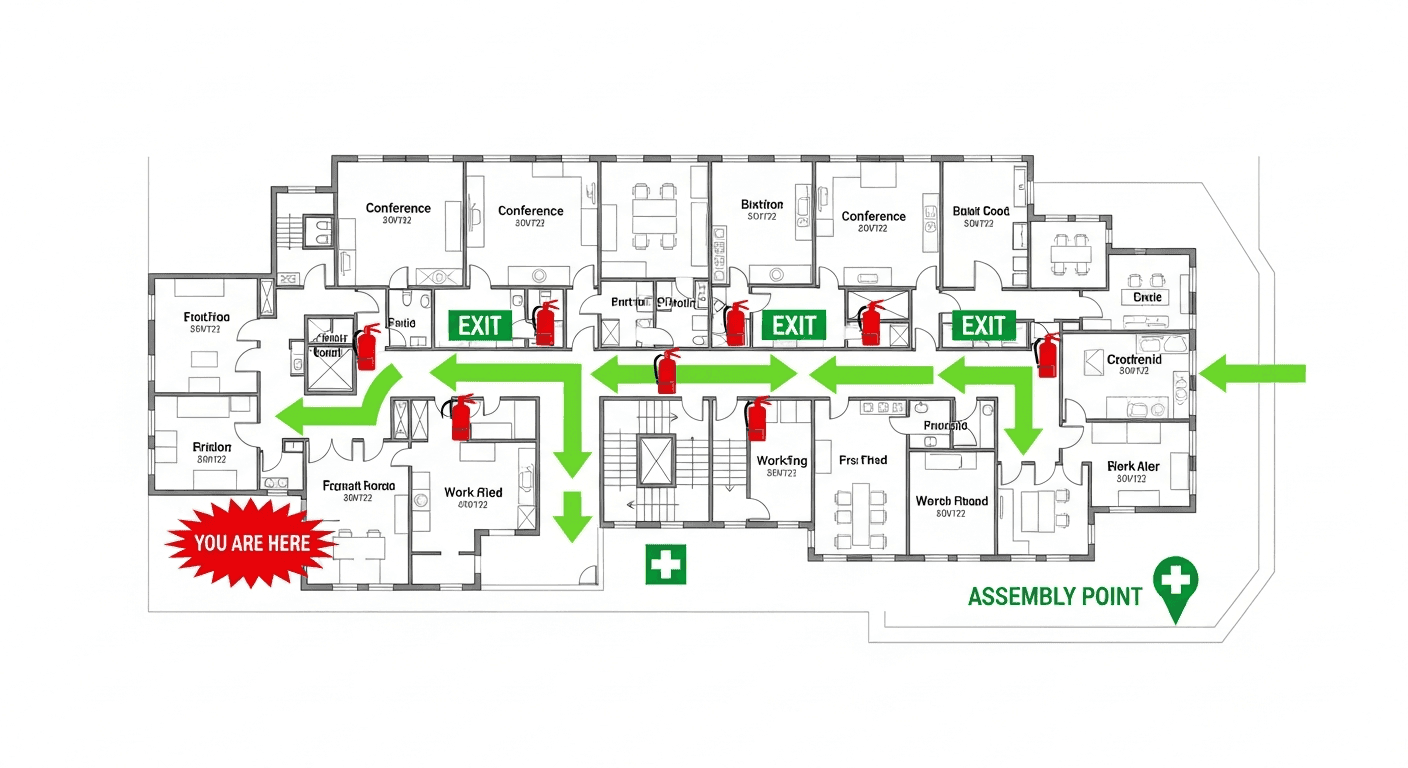
An emergency exit map is a visual diagram showing the floor plan of your building with all emergency exits, evacuation routes, safety equipment locations, and assembly points clearly marked. These maps help employees and visitors quickly identify the safest path to exit the building during fires, natural disasters, or other emergencies. A well-designed emergency exit map is a critical component of your OSHA-required Emergency Action Plan and is typically posted throughout your facility for easy reference.

πŸ“„Why Every Facility Needs an Emergency Exit Map

During emergencies, people experience stress that impairs decision-making. Smoke, darkness, and unfamiliar surroundings can disorient even people who know the building well. Emergency exit maps provide instant visual guidance that requires no thought or memory recall. Studies show buildings with properly posted evacuation maps achieve faster evacuation times and fewer injuries during emergencies. Beyond safety benefits, these maps are expected by OSHA inspectors and fire marshals as evidence of your emergency planning.

βœ“What Your Emergency Exit Map Must Include

  • βœ“"You Are Here" indicator specific to each posting location
  • βœ“All emergency exit doors with proper symbols
  • βœ“Primary evacuation routes marked with green arrows
  • βœ“Secondary/alternate routes in case primary is blocked
  • βœ“Fire extinguisher locations (red symbols)
  • βœ“Fire alarm pull station locations
  • βœ“First aid kit and AED locations
  • βœ“Emergency assembly point outside building
  • βœ“Stairwell and elevator locations (mark elevators DO NOT USE)
  • βœ“Hazardous material storage areas if applicable
  • βœ“ADA-accessible routes and areas of refuge
  • βœ“Legend explaining all symbols used
  • βœ“Building name, floor number, and revision date

πŸ“‹Step-by-Step: How to Create an Emergency Exit Map

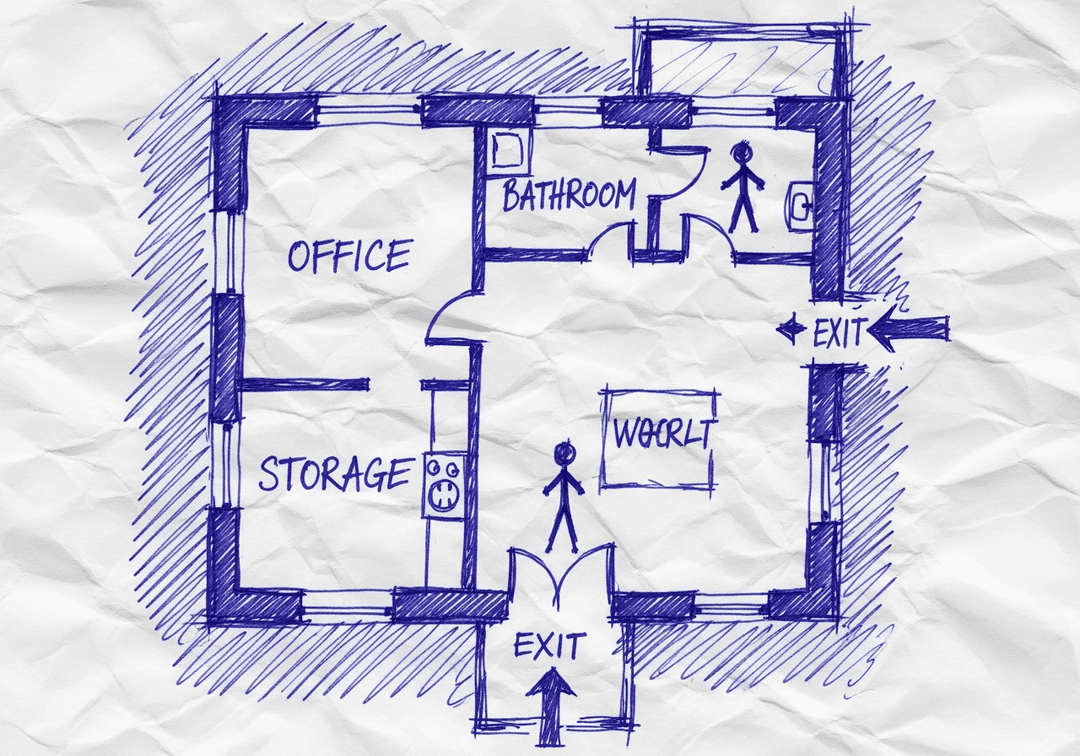
  • πŸ“‹Gather your current floor plan (blueprint, CAD drawing, or sketch)
  • πŸ“‹Walk the facility to verify the floor plan matches actual layout
  • πŸ“‹Identify all emergency exits and test that they open properly
  • πŸ“‹Locate all fire extinguishers, pull stations, and first aid equipment
  • πŸ“‹Determine primary and secondary evacuation routes from each area
  • πŸ“‹Mark ADA-accessible routes and areas of refuge
  • πŸ“‹Designate assembly point(s) at safe distance from building
  • πŸ“‹Create or generate the map with proper symbols and legend
  • πŸ“‹Have safety officer or fire marshal review before posting

βœ“Where to Post Emergency Exit Maps

  • βœ“All main building entrances and lobbies
  • βœ“Near elevators on every floor
  • βœ“At the entrance to each stairwell
  • βœ“In break rooms and common areas
  • βœ“At the end of long corridors (visible from approach)
  • βœ“Near conference rooms and large meeting spaces
  • βœ“In areas where 10+ employees regularly work
  • βœ“Posted at eye level (54-60 inches from floor to center)

🏭Emergency Exit Map Tips by Industry

🏒

Office Buildings

  • Include maps on each floor with floor-specific routes
  • Mark server rooms and electrical closets as potential hazards
  • Show accessible routes from all workstation clusters
  • Post near coffee stations and copy rooms
🏭

Warehouses

  • Use larger format maps (18x24 or bigger) for visibility
  • Account for high shelving that may block visibility
  • Mark loading docks that can serve as exits
  • Include hazmat storage and spill kit locations
🏬

Retail Stores

  • Create versions for both customer and employee areas
  • Post in fitting rooms and restroom corridors
  • Mark stockroom escape routes clearly
  • Consider seasonal layout changes
🚨

Common Emergency Exit Map Mistakes

Avoid these frequent errors: Using a generic template without customizing to your actual layout. Missing the "You Are Here" marker or placing it incorrectly. Forgetting to update after renovations or furniture moves. Using unclear or non-standard symbols without a legend. Posting at incorrect height or in poor visibility locations. Failing to mark ADA-accessible routes.

πŸ“„Create Professional Maps with AI

Creating an emergency exit map traditionally requires hiring a professional consultant ($500-2,000 per map) or spending hours with design software. Our AI-powered tool transforms any floor plan sketch, photo, or PDF into a professional, OSHA-compliant emergency exit map in minutes. Simply upload your floor plan, mark your exits and equipment, and our system generates a print-ready map with proper symbols, routes, and formatting. Updates are instant when your layout changes.

❓

Frequently Asked Questions

An emergency exit map is a visual diagram of your building showing all exits, evacuation routes, safety equipment, and assembly points. It helps people quickly identify the safest path out during emergencies and is required as part of OSHA Emergency Action Plan compliance.

Start with an accurate floor plan, identify all exits and safety equipment locations, determine primary and secondary evacuation routes, add required elements like "You Are Here" markers and legends, then generate or design the final map. AI tools can automate this process in minutes.

Post maps at all main entrances, elevator lobbies, stairwells, break rooms, common areas, and anywhere 10+ people regularly work. Mount at eye level (54-60 inches from floor). Each map should have a "You Are Here" marker specific to its posting location.

Update immediately after any layout changes, renovations, or equipment relocations. Best practice is quarterly review to verify accuracy. Maps must reflect current conditions at all times to be effective during emergencies.

πŸ“š
🎁Register for 5 Maps - Unlimited Revisions Free

Create Your OSHA-compliant Safety Map Now

Upload any floor plan and get a professional, OSHA-compliant evacuation map in under 60 seconds.

⚑Instant Results
πŸ“‹Print-Ready
βœ…OSHA Compliant
πŸ’°Save $1,000+

No credit card β€’ No account needed β€’ Unlimited revisions

Generate Your OSHA-Compliant Evacuation Map

Upload your floor plan and get a professional, compliant evacuation map in minutes.

πŸ“Š 5 of 5 Free Maps Left

Create Your Evacuation Map

πŸ“·
Clear ImageUse a clean, high-quality scan or photo
↔️
Correct OrientationImage should be right-side up, not rotated or sideways
πŸ”
No ZoomCapture the entire floor plan, avoid zooming in on sections
πŸ’‘
Good LightingThe clearer and less blurry, the better results
πŸ“

Drag & drop your floor plan here

or

PNG, JPG, PDF - Hand-drawn sketches work too!

πŸ”’Your files are private: never shared, stored temporarily, deleted automatically.

Compliance Options

Generate bilingual map with English + Spanish labels

ℹ️Adds Spanish translations (EspaΓ±ol) to all text on the map
πŸ”₯ NEW✨

Customize Your Map

Add special requests for your safety map - tell our AI exactly what you need!

  • 🎯Add specific details like "Mark fire extinguisher near kitchen"
  • πŸ“Request specific zones: "Highlight assembly point in parking lot"
  • πŸ₯Add safety equipment: "Include AED location near reception"
0/2000

Quick Add: