โœ… Compliance Standards

OSHA Exit Route Requirements (1910.37)

Everything you need to know about OSHA exit route standards, from dimensions to signage to common violations.

28"Min. Width
2+Exits Required
1910.37OSHA Standard

Draft route markings, then verify them in the workplace

๐Ÿ›ก๏ธOSHA-Aligned
โญ7,500+ Maps Created
โœ…100% Satisfaction
๐Ÿ”
You searched:"OSHA exit route requirements"

๐Ÿ“‹Exit Route Dimensions

  • ๐Ÿ“‹Minimum width: 28 inches at any point
  • ๐Ÿ“‹Minimum ceiling height: 7 feet 6 inches
  • ๐Ÿ“‹Exit routes must accommodate maximum occupant load
  • ๐Ÿ“‹Routes cannot decrease in width as they approach exit
  • ๐Ÿ“‹Exit discharge must be at least as wide as exit itself

๐Ÿ“‹Lighting & Visibility Requirements

  • ๐Ÿ“‹Exit routes must be adequately lit
  • ๐Ÿ“‹Minimum 1 foot-candle of illumination at floor level
  • ๐Ÿ“‹Emergency lighting required (battery backup)
  • ๐Ÿ“‹Emergency lights must work for at least 90 minutes
  • ๐Ÿ“‹EXIT signs must be illuminated and visible from 100+ feet

๐Ÿ“‹Exit Signage Requirements

  • ๐Ÿ“‹Word "EXIT" in letters at least 6 inches high
  • ๐Ÿ“‹Letters must have 3/4 inch stroke width minimum
  • ๐Ÿ“‹Signs must be illuminated (internally or externally)
  • ๐Ÿ“‹Doors that are not exits must be marked (e.g., "NOT AN EXIT")
  • ๐Ÿ“‹Directional signs required where exit direction is not obvious

๐Ÿ“‹Exit Door Requirements

  • ๐Ÿ“‹Doors must swing in direction of exit travel
  • ๐Ÿ“‹Doors cannot require special knowledge to open
  • ๐Ÿ“‹Panic hardware required for 50+ occupants
  • ๐Ÿ“‹Doors cannot be locked from inside during occupied hours
  • ๐Ÿ“‹Door hardware must be operable with one hand, no tight grasping

๐Ÿ“„How Many Exits Are Required?

OSHA requires at least two exit routes in most workplaces to ensure one remains available if the other is blocked. More exits may be required based on: occupancy load, floor size, travel distance to exit, and specific hazards present. Exits should be located as far apart as practical to minimize the chance both are blocked.

๐Ÿ“„How Evacuation Maps Support Exit Compliance

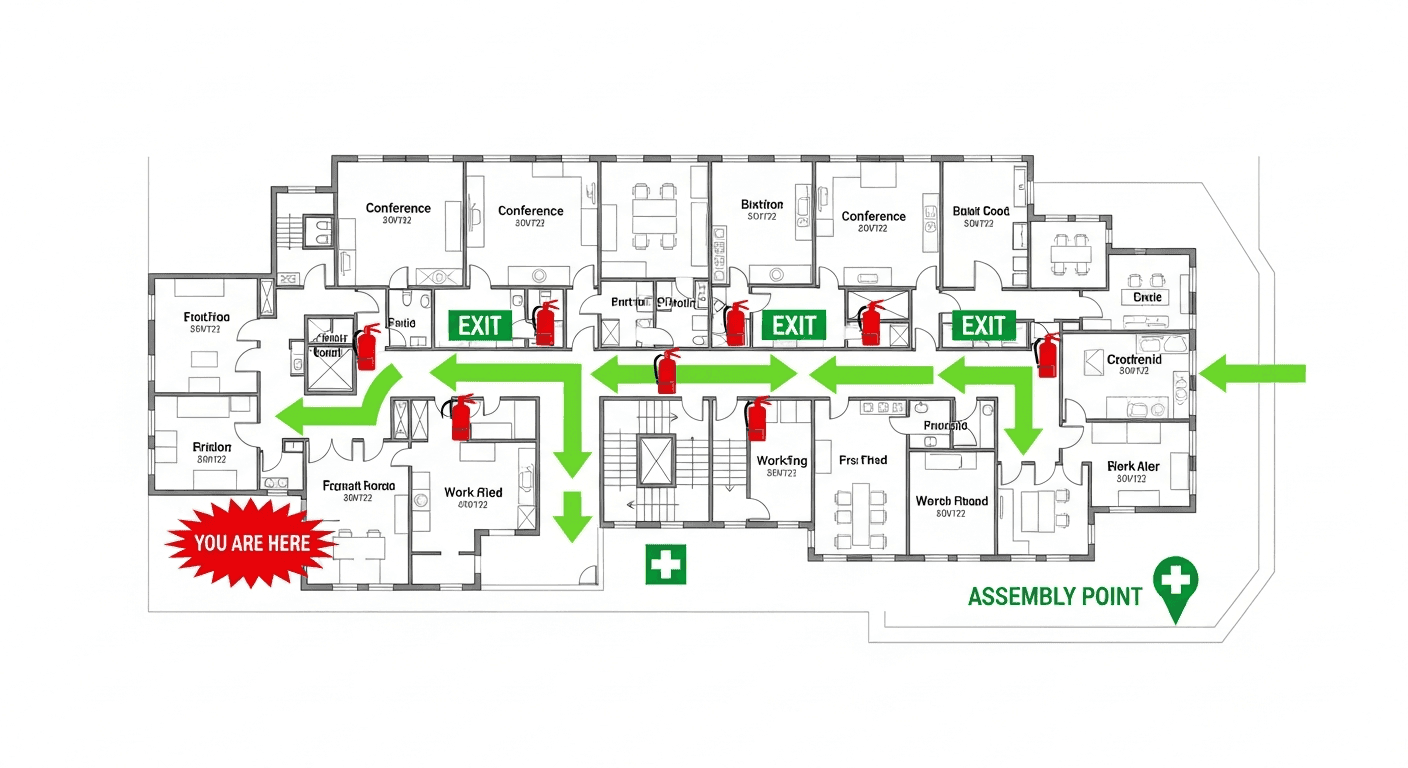
Evacuation maps demonstrate exit route compliance by showing: all available exits, primary and secondary routes from each area, exit widths where relevant, and clear paths free of obstructions. Maps help employees identify the nearest exits and alternate routes if primary exits are blocked.

โšกExit Route Compliance Facts

๐Ÿšช
28"Minimum Width

OSHA requires all exit routes to be at least 28 inches wide at any point

๐Ÿ’ก
90 minEmergency Lighting

Battery backup must power emergency lights for at least 90 minutes

๐Ÿ“
100 ftSign Visibility

EXIT signs must be visible from at least 100 feet away

โš ๏ธ
#3Top Violation

Exit route obstructions are the 3rd most common OSHA citation

๐Ÿ‘จโ€๐Ÿ’ผ
Expert Tip

Expert Advice: Exit Route Maintenance

Chief Robert MartinezFire Marshal, 22 Years Experience

The biggest mistake I see is treating exit route compliance as a one-time setup. Exit routes need weekly inspections. I recommend appointing a "route warden" on each shift who walks every exit path before operations begin. Check for blocked doorways, propped-open fire doors, and stored materials in corridors. A 30-second daily walk-through prevents 90% of the exit violations I cite. Also, test emergency lighting monthly - dead batteries are inexcusable when they're the difference between safe evacuation and tragedy.

๐Ÿ“šIllustrative Scenario: Warehouse Exit Route Overhaul

Logistics & Warehousing
๐ŸŽฏ

Challenge

A 150,000 sq ft distribution center received 4 OSHA citations totaling $62,500 for blocked exits, non-illuminated signs, and exit routes that narrowed below 28 inches due to pallet storage. Operations had gradually encroached on exit paths over 3 years.

๐Ÿ’ก

Solution

The facility painted bright yellow floor markings designating "no storage" zones around all exit routes, installed motion-sensor emergency lighting, added weekly exit route inspections to the supervisor checklist, and used our tool to create updated evacuation maps showing proper clearance zones.

๐Ÿ†

Result

The facility documented its corrective actions, kept exit paths clear, and incorporated route checks into routine supervision. Actual inspection, insurance, and drill outcomes depend on the workplace and reviewing authority.

โ“

Frequently Asked Questions

OSHA requires exit routes to be at least 28 inches wide at any point. Routes must be wide enough for the expected occupant load and cannot decrease in width toward the exit.

At least two exit routes are required in most workplaces. Additional exits may be required based on occupancy, distance, and hazards. Exits should be placed far apart so one remains usable if the other is blocked.

Yes. Exit doors must swing in the direction of exit travel (outward) so they do not impede evacuation. This is required for all occupied spaces.

๐Ÿ“š

Generate Your OSHA-Aligned Evacuation Map

Upload your floor plan and get a professional, compliant evacuation map in minutes.

๐Ÿ“Š 5 Free Maps Left

Create Your Evacuation Map

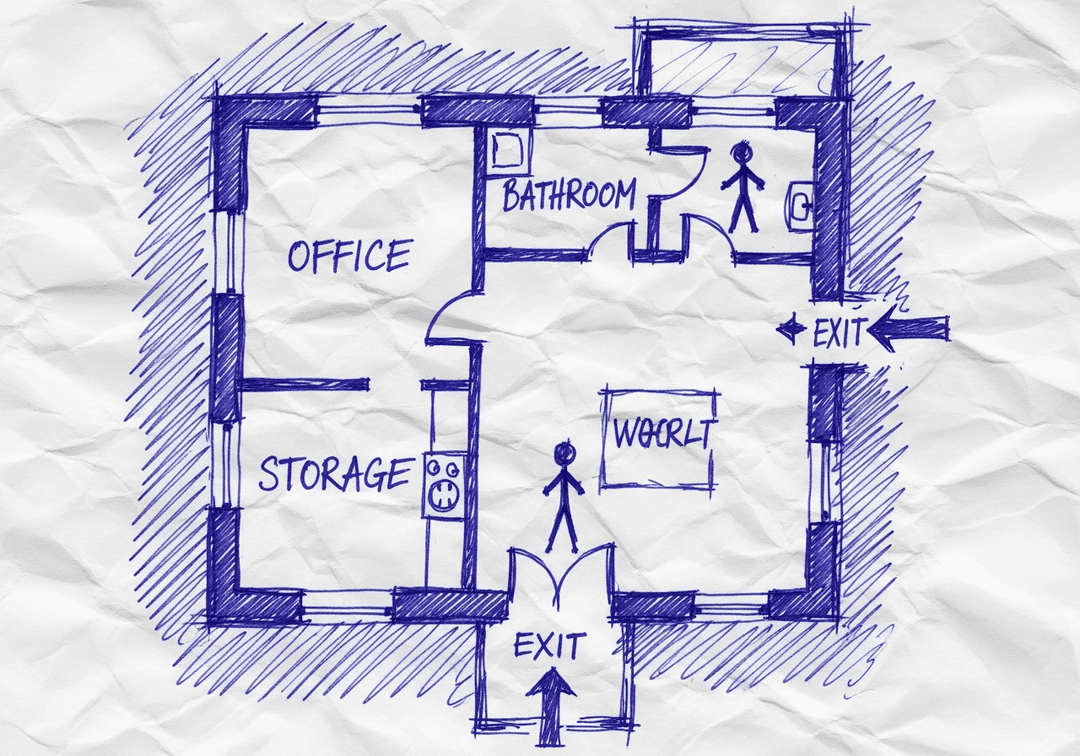
See the safety plan from every angleWatch a sketch become a polished map, then step inside.Watch demo Need to start from a rough layout?Sketch rooms and exits, then turn it into a clear safety map.Draw your map
โœ๏ธ
High ContrastUse dark ink on white paper. Bold lines help our AI detect walls accurately
๐Ÿ“
Top-Down AnglePhotograph from directly above โ€” tilted angles distort the geometry
๐Ÿท๏ธ
Label RoomsWrite "Exit", "Storage", "Breakroom" etc. โ€” our AI reads your labels for compliance
๐Ÿ”
Full Floor PlanCapture the entire layout including all walls, doors, and exits โ€” no cropping
๐Ÿšช
Mark ExitsCircle or label exit doors with a red dot or "EXIT" text for best detection
๐Ÿ’ก
Good LightingAvoid shadows and glare โ€” even lighting produces the sharpest results
๐Ÿ“

Drag & drop your floor plan here

or

PNG, JPG, HEIC, TIFF, BMP, SVG, AVIF, WebP, PDF, DOC, DOCX, PPT, PPTX, XLS, XLSX, ODT, ODP, ODS, DXF, DWG - Hand-drawn sketches work too!

or

No floor plan handy? Try the included floor plan with real AI generation โ€” no upload needed. This may take a minute or longer.

Edit your map for free.
Move, resize, and recolor every exit sign, route, and icon.
Create a free account to save and download in HD. No credit card required.
FREE
๐Ÿ”’Your files are private: never shared, stored temporarily, deleted automatically.

Compliance Options

๐Ÿ”ฅ NEWโœจ

Customize Your Map

Add special requests for your safety map - tell our AI exactly what you need!

  • ๐ŸŽฏAdd specific details like "Mark fire extinguisher near kitchen"
  • ๐Ÿ“Request specific zones: "Highlight assembly point in parking lot"
  • ๐ŸฅAdd safety equipment: "Include AED location near reception"
0/2000

Quick Add:

Automatic (recommended)

Redraw the architecture from your floor plan first, then add editable safety markings. The original upload remains a reference, not the map background.

Frequently Asked Questions

Is this evacuation map generator really free?

Yes โ€” you can generate your first OSHA-aligned evacuation map draft completely free. Just upload a floor plan and our AI drafts a professional map in about 30 seconds. No credit card required.

Are the generated maps aligned with OSHA?

Our AI drafts maps that follow OSHA 29 CFR 1910.36โ€“37 and NFPA 101 Life Safety Code standards. Every map includes clearly marked exits, fire extinguisher locations, assembly points, and directional evacuation arrows. Supervisor review is required before posting to your facility.

What file formats can I upload?

We accept PNG, JPG, GIF, WebP, BMP, TIFF, AVIF, HEIC, SVG, PDF, DOC/DOCX, PPT/PPTX, XLS/XLSX, ODT, ODP, ODS, DXF, and DWG floor plans. Office and CAD files are converted securely before processing; PDF uploads let you choose the source page.

How long does map generation take?

Most maps are generated in 20โ€“40 seconds. Complex multi-floor plans may take slightly longer. You see the preview instantly โ€” create a free account (no credit card) to download the file.

Can I edit the map after generation?

Yes โ€” every generated map opens in a free drag-and-drop editor where you can move, resize, and recolor exit signs, routes, and equipment icons. Enterprise features like multi-floor support and branded maps are available on paid plans.

Is my floor plan data secure?

Yes. All uploads are encrypted in transit (TLS 1.3) and processed in secure cloud environments. We do not share your floor plans with third parties.