📝 Emergency PlanningEssential Guide

OSHA Emergency Action Plan (EAP) Explained

Understand when OSHA 1910.38 applies, develop an EAP for workplace review, and see how a map can support evacuation communication.

1910.38OSHA Standard
10+Employees = Written EAP
5Required Elements
Download Sample EAP Template

Create a visual aid to verify against the workplace and EAP

🛡️OSHA-Aligned
⭐7,500+ Maps Created
✅100% Satisfaction
🔍
You searched:"What is an OSHA Emergency Action Plan?"

📄What is an Emergency Action Plan (EAP)?

An Emergency Action Plan (EAP) is a written document required by OSHA standard 29 CFR 1910.38 for workplaces with more than 10 employees. The EAP outlines procedures for emergency situations including fires, severe weather, chemical spills, and other hazards. Evacuation maps are a critical visual component of any effective EAP.

📋When is a Written EAP Required?

  • 📋Workplaces with more than 10 employees must have a written EAP
  • 📋Smaller workplaces may communicate the plan orally
  • 📋Certain OSHA standards (like Process Safety Management) require EAPs regardless of size
  • 📋State OSHA programs may have additional requirements

✓Required EAP Elements (OSHA 1910.38)

  • ✓Procedures for reporting fires and emergencies
  • ✓Evacuation procedures and emergency escape routes
  • ✓Procedures for employees who remain to perform critical operations
  • ✓Procedures to account for all employees after evacuation
  • ✓Rescue and medical duties for designated employees
  • ✓Names or job titles of persons to contact for EAP information

📄How Evacuation Maps Support Your EAP

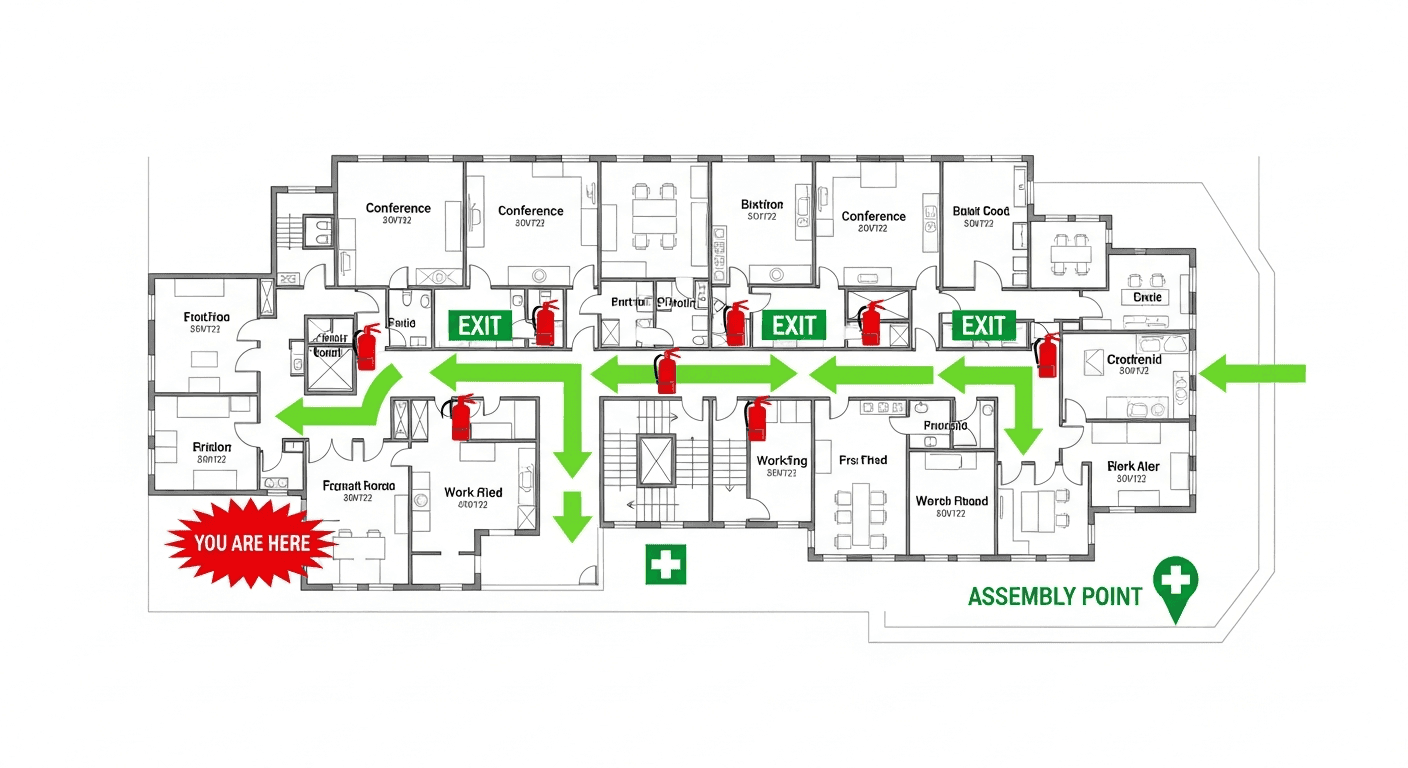
Evacuation maps are the visual implementation of your EAP. They translate written emergency procedures into clear, actionable guidance that employees can follow during high-stress situations. A proper evacuation map shows all escape routes described in your EAP, assembly points, and safety equipment locations.

📋EAP Training Requirements

  • 📋Train employees when EAP is first developed or adopted
  • 📋Retrain when employee responsibilities change
  • 📋Retrain when the EAP itself is modified
  • 📋Review evacuation maps with employees during training
  • 📋Conduct regular evacuation drills (recommended annually)

📊EAP Compliance by the Numbers

📊
67%Businesses Non-Compliant

Two-thirds of small businesses lack a compliant written EAP according to OSHA surveys

💰
$165,514Max Willful Penalty

Maximum penalty for willful violations of EAP requirements

⚡
23%Faster Evacuation

Businesses with proper EAPs evacuate 23% faster on average during drills

✅
89%Employee Confidence

Employees at EAP-compliant businesses report feeling prepared for emergencies

📚Real-World Success Story

Manufacturing
🎯

Challenge

Midwest Metal Fabricators, a 200-employee manufacturing facility, faced an OSHA inspection after an employee complaint. Their EAP was 8 years old, evacuation maps showed a floor layout from before a major expansion, and only 40% of employees had received training in the past year.

💡

Solution

They used our AI-powered tool to regenerate all evacuation maps in one afternoon, updated their written EAP to reflect current operations, and implemented quarterly training refreshers with documented attendance.

🏆

Result

The facility passed their follow-up inspection with zero citations. Employee drill evacuation times improved by 34%, and they saved an estimated $47,000 in potential penalties. The safety manager now updates maps quarterly using our tool.

📥

OSHA-Aligned EAP Template

Complete, fillable Emergency Action Plan template covering all OSHA 1910.38 requirements. Includes sections for emergency contacts, evacuation procedures, employee roles, training logs, and drill documentation. Pre-formatted for easy customization to your facility.

PDF (fillable)11 KB
Download Free
❓

Frequently Asked Questions

OSHA 1910.38 requires: emergency reporting procedures, evacuation procedures and routes, procedures for critical operation shutdowns, employee accounting after evacuation, rescue and medical duties, and contact information for EAP coordinators.

Workplaces with 10 or fewer employees may communicate the EAP orally rather than in writing. However, having a written plan with posted evacuation maps is still recommended for clarity and documentation.

Evacuation maps are the visual representation of your EAP evacuation procedures. They show the escape routes, assembly points, and safety equipment described in your written plan, making the information accessible during emergencies.

Under 29 CFR 1910.38(e), employers must review the EAP with each employee when the plan is first developed, when the employee's responsibilities under the plan change, and whenever the plan itself is changed. Best practice is an annual review alongside your evacuation drill, plus an update after any renovation, change in operations, or layout change that affects exit routes.

An Emergency Action Plan (29 CFR 1910.38) covers how employees report emergencies and evacuate once one occurs. A Fire Prevention Plan (29 CFR 1910.39) addresses controlling hazards before a fire starts — major fire hazards, ignition-source controls, and maintenance of fire-prevention equipment. Employers with more than 10 employees must keep each plan in writing, and many workplaces need both.

OSHA 1910.38(b) requires the written EAP to be kept in the workplace and made available to employees for review; the plan document itself does not have to be wall-mounted. However, the evacuation routes, exits, and assembly points it references should be posted as evacuation maps where employees can see them, so the written procedures translate into clear visual guidance during an emergency.

📚

Generate Your OSHA-Aligned Evacuation Map

Upload your floor plan and get a professional, compliant evacuation map in minutes.

📊 5 Free Maps Left

Create Your Evacuation Map

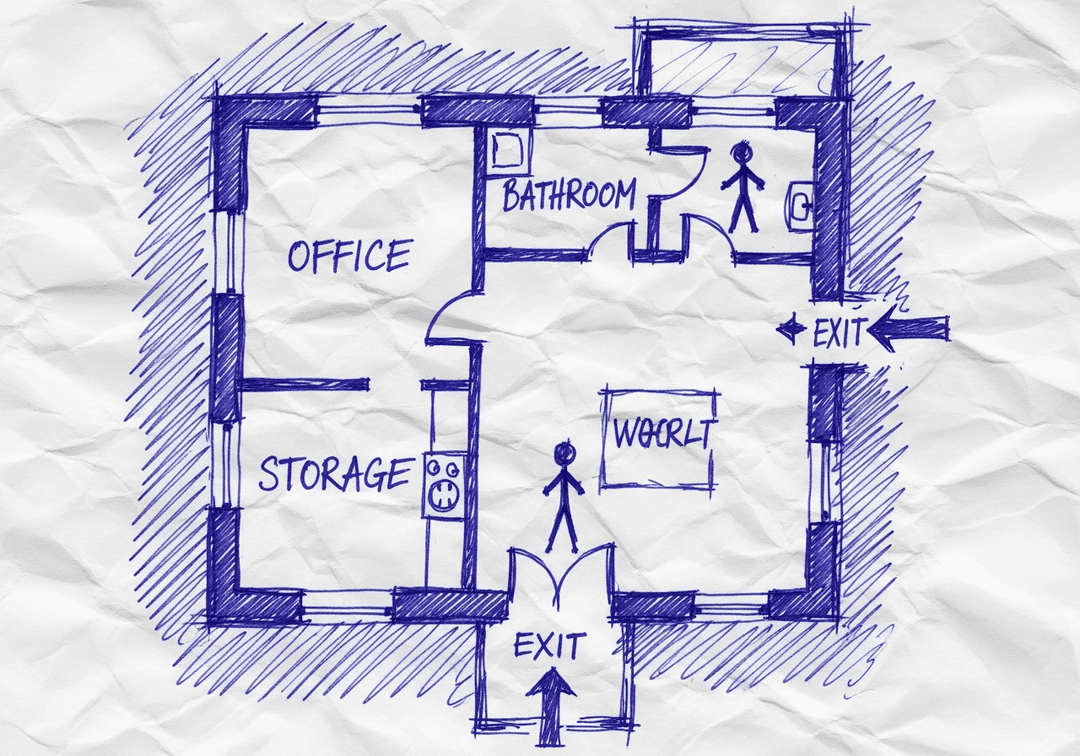
See the safety plan from every angleWatch a sketch become a polished map, then step inside.Watch demo Need to start from a rough layout?Sketch rooms and exits, then turn it into a clear safety map.Draw your map
✏️
High ContrastUse dark ink on white paper. Bold lines help our AI detect walls accurately
📐
Top-Down AnglePhotograph from directly above — tilted angles distort the geometry
🏷️
Label RoomsWrite "Exit", "Storage", "Breakroom" etc. — our AI reads your labels for compliance
🔍
Full Floor PlanCapture the entire layout including all walls, doors, and exits — no cropping
🚪
Mark ExitsCircle or label exit doors with a red dot or "EXIT" text for best detection
💡
Good LightingAvoid shadows and glare — even lighting produces the sharpest results
📁

Drag & drop your floor plan here

or

PNG, JPG, HEIC, TIFF, BMP, SVG, AVIF, WebP, PDF, DOC, DOCX, PPT, PPTX, XLS, XLSX, ODT, ODP, ODS, DXF, DWG - Hand-drawn sketches work too!

or

No floor plan handy? Try the included floor plan with real AI generation — no upload needed. This may take a minute or longer.

Edit your map for free.
Move, resize, and recolor every exit sign, route, and icon.
Create a free account to save and download in HD. No credit card required.
FREE
🔒Your files are private: never shared, stored temporarily, deleted automatically.

Compliance Options

🔥 NEW✨

Customize Your Map

Add special requests for your safety map - tell our AI exactly what you need!

  • 🎯Add specific details like "Mark fire extinguisher near kitchen"
  • 📍Request specific zones: "Highlight assembly point in parking lot"
  • 🏥Add safety equipment: "Include AED location near reception"
0/2000

Quick Add:

Automatic (recommended)

Redraw the architecture from your floor plan first, then add editable safety markings. The original upload remains a reference, not the map background.

Frequently Asked Questions

Is this evacuation map generator really free?

Yes — you can generate your first OSHA-aligned evacuation map draft completely free. Just upload a floor plan and our AI drafts a professional map in about 30 seconds. No credit card required.

Are the generated maps aligned with OSHA?

Our AI drafts maps that follow OSHA 29 CFR 1910.36–37 and NFPA 101 Life Safety Code standards. Every map includes clearly marked exits, fire extinguisher locations, assembly points, and directional evacuation arrows. Supervisor review is required before posting to your facility.

What file formats can I upload?

We accept PNG, JPG, GIF, WebP, BMP, TIFF, AVIF, HEIC, SVG, PDF, DOC/DOCX, PPT/PPTX, XLS/XLSX, ODT, ODP, ODS, DXF, and DWG floor plans. Office and CAD files are converted securely before processing; PDF uploads let you choose the source page.

How long does map generation take?

Most maps are generated in 20–40 seconds. Complex multi-floor plans may take slightly longer. You see the preview instantly — create a free account (no credit card) to download the file.

Can I edit the map after generation?

Yes — every generated map opens in a free drag-and-drop editor where you can move, resize, and recolor exit signs, routes, and equipment icons. Enterprise features like multi-floor support and branded maps are available on paid plans.

Is my floor plan data secure?

Yes. All uploads are encrypted in transit (TLS 1.3) and processed in secure cloud environments. We do not share your floor plans with third parties.