๐Ÿš€ Advanced Topics

Fire Evacuation Maps vs OSHA Evacuation Maps

Understand the overlap between OSHA and NFPA requirements and create maps that satisfy both standards.

OSHA1910.38
NFPA101 Life Safety
BothOften Required

Prepare a draft for workplace and AHJ review

๐Ÿ›ก๏ธOSHA-Aligned
โญ7,500+ Maps Created
โœ…100% Satisfaction
๐Ÿ”
You searched:"Fire evacuation map OSHA"

๐Ÿ“„OSHA vs NFPA: The Overlap

OSHA regulates workplace safety under federal law, while NFPA (National Fire Protection Association) creates fire safety codes adopted by states and municipalities. In practice, most businesses must comply with both. OSHA 1910.38 covers Emergency Action Plans while NFPA 101 (Life Safety Code) covers fire evacuation specifically. Fortunately, the requirements overlap significantly.

๐Ÿ“‹When Both Are Required

  • ๐Ÿ“‹All workplaces with >10 employees (OSHA EAP required)
  • ๐Ÿ“‹Buildings in jurisdictions that adopt NFPA codes (most states)
  • ๐Ÿ“‹Healthcare facilities (Joint Commission uses NFPA)
  • ๐Ÿ“‹Educational facilities (state fire codes)
  • ๐Ÿ“‹Any building requiring a fire inspection permit

โš–๏ธKey Differences

FeatureType
Primary FocusOSHA: All emergencies | NFPA: Fire specifically
AuthorityOSHA: Federal law | NFPA: State/local adoption
EnforcementOSHA: DOL inspectors | NFPA: Fire marshals
Training FocusOSHA: Employee procedures | NFPA: Building occupants
Map RequirementsSimilar: Both expect posted routes

๐Ÿ“„Creating a Combined Map Draft

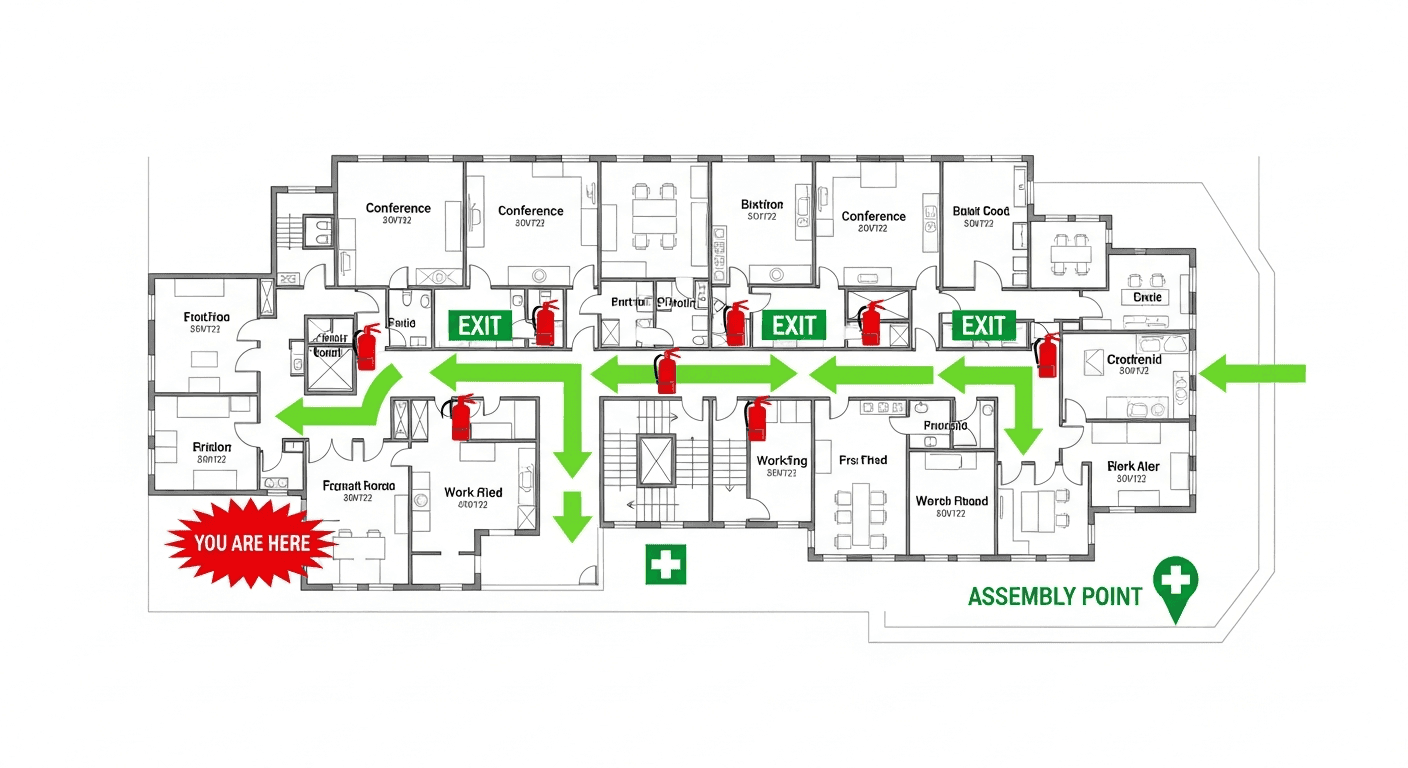
A single reviewed diagram may support workplace procedures and locally adopted fire-code duties. Common content includes available exit routes, relevant fire equipment and pull stations, assembly information when used by the plan, a location marker, and applicable accessible-egress information. Verify every feature on site and confirm symbols, colors, content, and posting requirements with the AHJ.

โœ“Fire-Specific Elements (NFPA Focus)

  • โœ“Fire extinguisher classifications shown
  • โœ“Fire alarm pull stations prominently marked
  • โœ“Sprinkler system shut-off locations (for fire department)
  • โœ“Fire door locations
  • โœ“Smoke barrier locations in healthcare facilities
  • โœ“Stairwell pressurization zones (high-rises)
โ“

Frequently Asked Questions

A single diagram draft may support employee procedures and locally adopted fire-code duties, but the content and posting requirements are site-specific. Verify the diagram against the workplace, applicable OSHA standards, adopted NFPA provisions, and AHJ direction.

Federal or state OSHA enforces applicable workplace standards. Local authorities enforce adopted fire and building codes. Ask each relevant authority whether diagrams are required and what they must show; do not assume either authority universally requires a posted map.

OSHA and NFPA requirements rarely conflict since OSHA often references NFPA standards. When in doubt, follow the stricter requirement. Consult your local fire marshal and OSHA consultation service if unclear.

๐Ÿ“š

Generate Your OSHA-Aligned Evacuation Map

Upload your floor plan and get a professional, compliant evacuation map in minutes.

๐Ÿ“Š 5 Free Maps Left

Create Your Evacuation Map

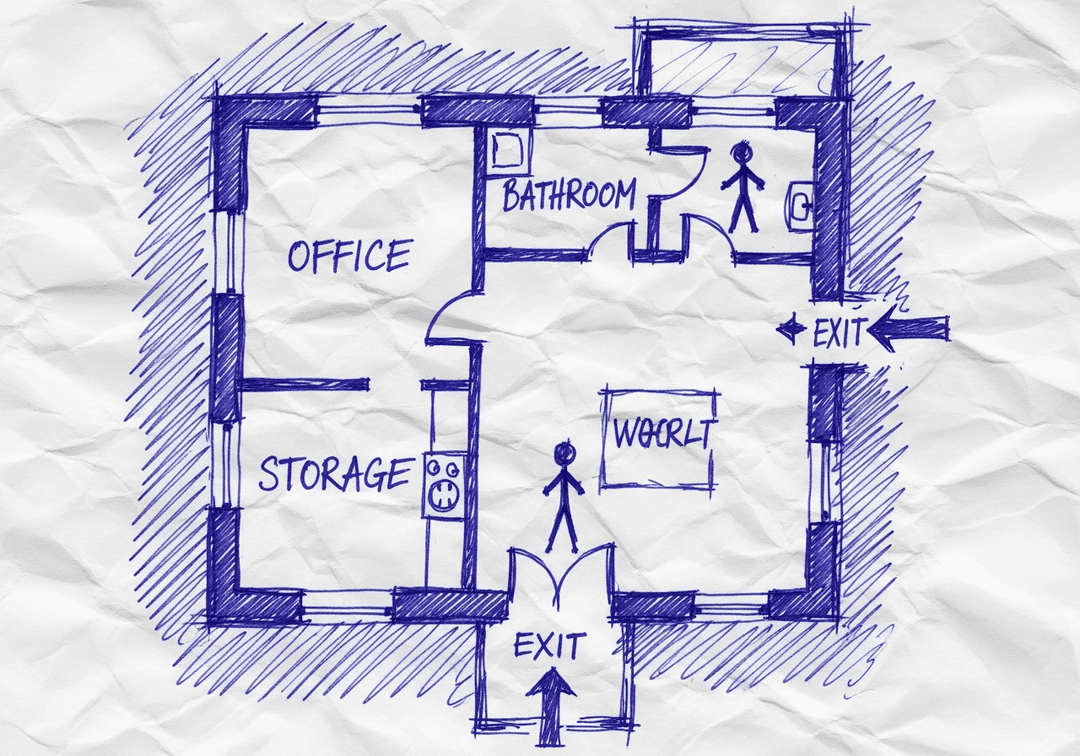
See the safety plan from every angleWatch a sketch become a polished map, then step inside.Watch demo Need to start from a rough layout?Sketch rooms and exits, then turn it into a clear safety map.Draw your map
โœ๏ธ
High ContrastUse dark ink on white paper. Bold lines help our AI detect walls accurately
๐Ÿ“
Top-Down AnglePhotograph from directly above โ€” tilted angles distort the geometry
๐Ÿท๏ธ
Label RoomsWrite "Exit", "Storage", "Breakroom" etc. โ€” our AI reads your labels for compliance
๐Ÿ”
Full Floor PlanCapture the entire layout including all walls, doors, and exits โ€” no cropping
๐Ÿšช
Mark ExitsCircle or label exit doors with a red dot or "EXIT" text for best detection
๐Ÿ’ก
Good LightingAvoid shadows and glare โ€” even lighting produces the sharpest results
๐Ÿ“

Drag & drop your floor plan here

or

PNG, JPG, HEIC, TIFF, BMP, SVG, AVIF, WebP, PDF, DOC, DOCX, PPT, PPTX, XLS, XLSX, ODT, ODP, ODS, DXF, DWG - Hand-drawn sketches work too!

or

No floor plan handy? Try the included floor plan with real AI generation โ€” no upload needed. This may take a minute or longer.

Edit your map for free.
Move, resize, and recolor every exit sign, route, and icon.
Create a free account to save and download in HD. No credit card required.
FREE
๐Ÿ”’Your files are private: never shared, stored temporarily, deleted automatically.

Compliance Options

๐Ÿ”ฅ NEWโœจ

Customize Your Map

Add special requests for your safety map - tell our AI exactly what you need!

  • ๐ŸŽฏAdd specific details like "Mark fire extinguisher near kitchen"
  • ๐Ÿ“Request specific zones: "Highlight assembly point in parking lot"
  • ๐ŸฅAdd safety equipment: "Include AED location near reception"
0/2000

Quick Add:

Automatic (recommended)

Redraw the architecture from your floor plan first, then add editable safety markings. The original upload remains a reference, not the map background.

Frequently Asked Questions

Is this evacuation map generator really free?

Yes โ€” you can generate your first OSHA-aligned evacuation map draft completely free. Just upload a floor plan and our AI drafts a professional map in about 30 seconds. No credit card required.

Are the generated maps aligned with OSHA?

Our AI drafts maps that follow OSHA 29 CFR 1910.36โ€“37 and NFPA 101 Life Safety Code standards. Every map includes clearly marked exits, fire extinguisher locations, assembly points, and directional evacuation arrows. Supervisor review is required before posting to your facility.

What file formats can I upload?

We accept PNG, JPG, GIF, WebP, BMP, TIFF, AVIF, HEIC, SVG, PDF, DOC/DOCX, PPT/PPTX, XLS/XLSX, ODT, ODP, ODS, DXF, and DWG floor plans. Office and CAD files are converted securely before processing; PDF uploads let you choose the source page.

How long does map generation take?

Most maps are generated in 20โ€“40 seconds. Complex multi-floor plans may take slightly longer. You see the preview instantly โ€” create a free account (no credit card) to download the file.

Can I edit the map after generation?

Yes โ€” every generated map opens in a free drag-and-drop editor where you can move, resize, and recolor exit signs, routes, and equipment icons. Enterprise features like multi-floor support and branded maps are available on paid plans.

Is my floor plan data secure?

Yes. All uploads are encrypted in transit (TLS 1.3) and processed in secure cloud environments. We do not share your floor plans with third parties.